

I was mobile earlier and didn't have time for a detailed response. Depending on how the device responds, the response between 100 and 255 could be night and day. Especially when converting an integer to a boolean. If the device only supports on and off, some devices treat anything less than 128 as off and greater than 127 as on. Other devices will treat any nonzero value as on and zero as off. Your manual doesn't specify how it behaves. (and that's typical of cheap chinese devices) But you do know that 255 from the test mode works.
Just know that when using custom values in vixen, the literal value you put into the effect is what's going to get sent out. DMX, and sACN, and FPP files only support 8 bit values. That is a value in the range of 0 to 255.

Hi yes my Beamz S1500 works fine now and I can acutally ajust the value of smoke from my Vixen sequence, so thanks for the help on that.
I will try to get a terminator.
I am using the white effect in Falcon controller test mode to make the machine work. I tried with the custom value 255 in vixen but without luck. Properly the wiring setup is wrong. I was thinking that I should also be able to trigger the machine from testmode in the Falcon player, but I am not. I am attached some more screenshots maybe someone has an idea what could be wrong. It must be possible to create the white test effect on a falcon PLAYER the correct setup and then I would be a single step closer.
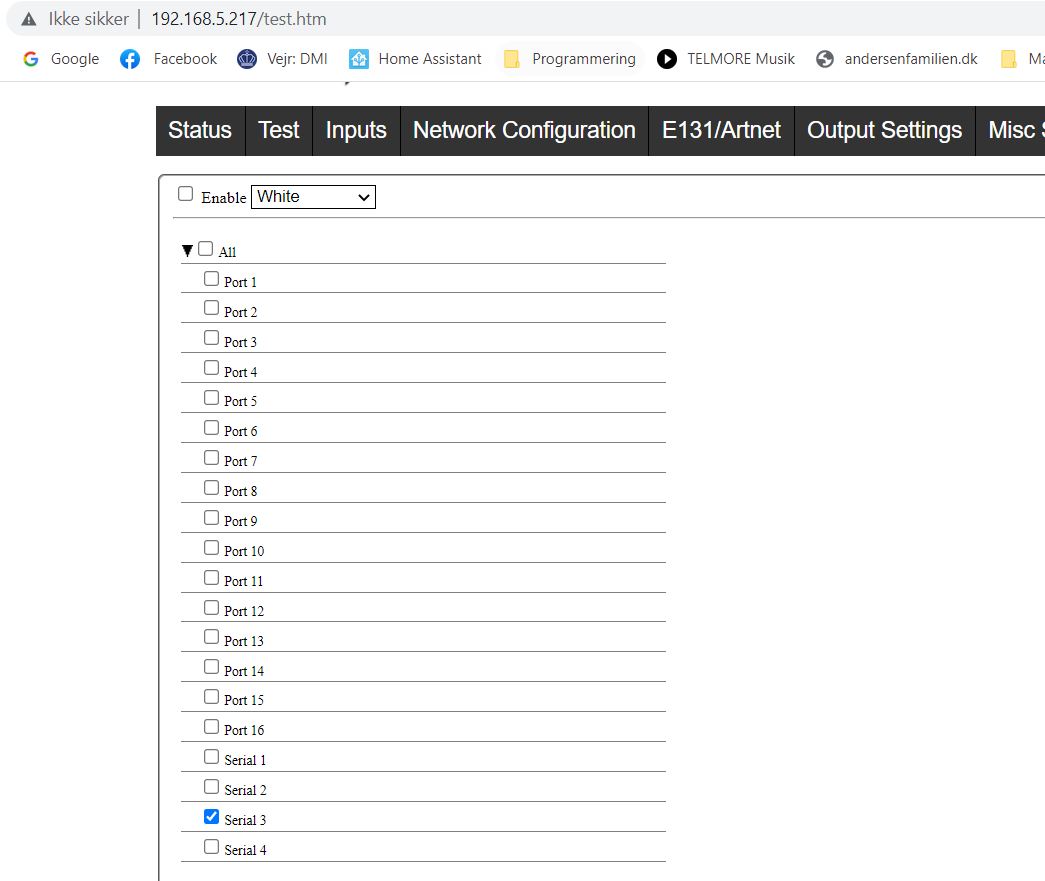

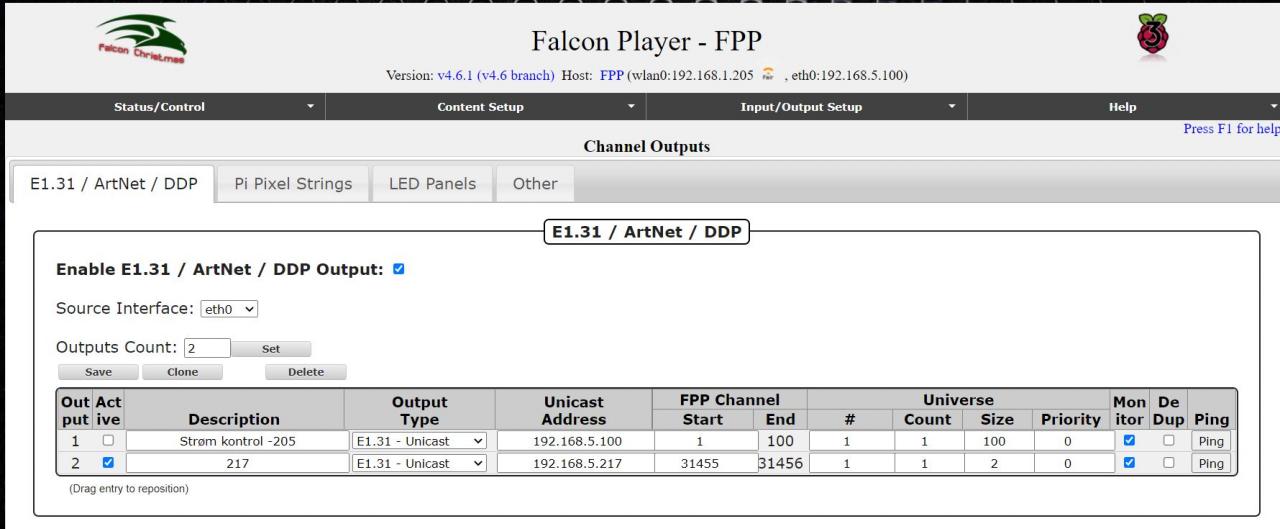
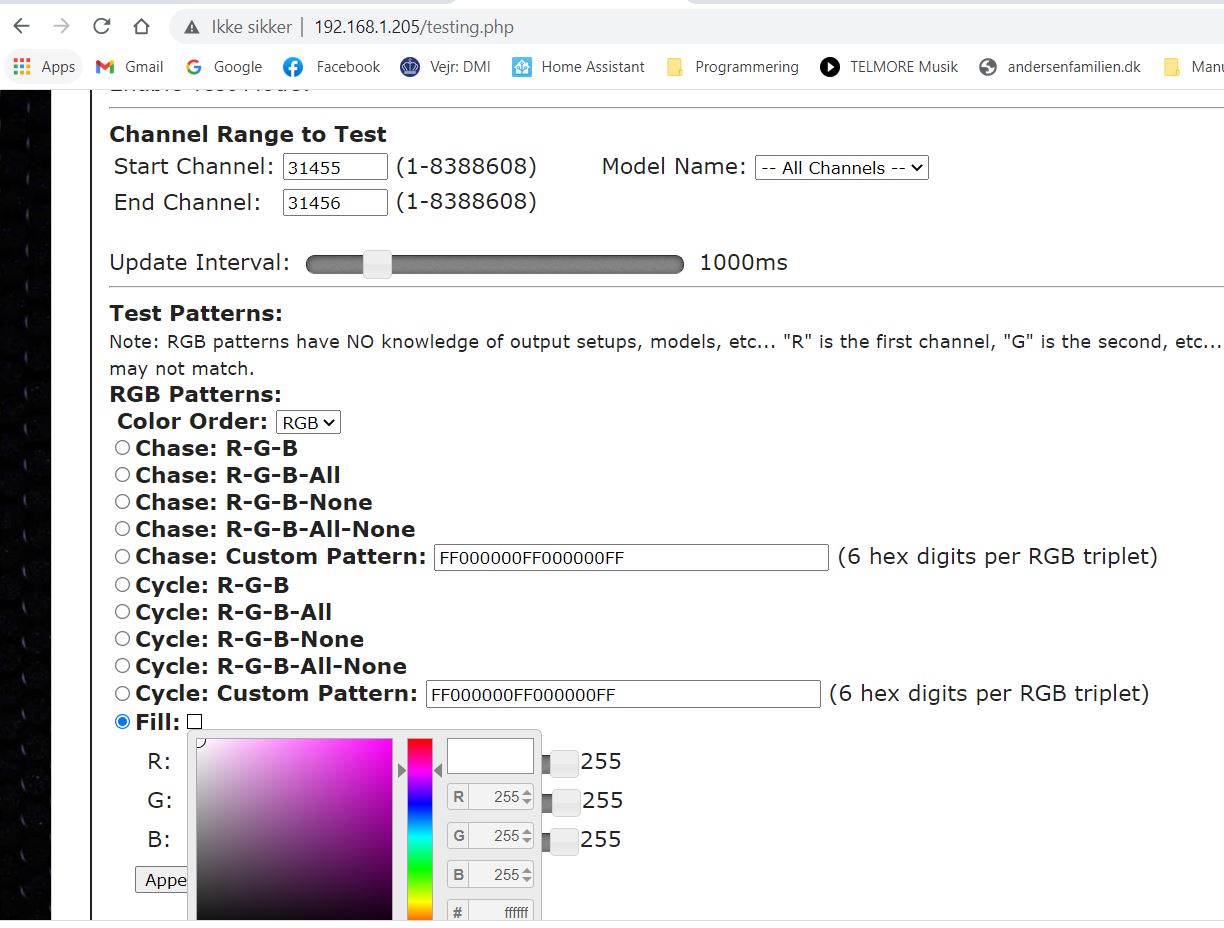

I asked the factory about settings and got this reply:
Good afternoon,
The dipswitches on de S1800 is binary but you have to 1 .
DMX-channel settings
1 2 3 4 5 6 7 8 9 10 Dip switch.
Dip-10 ON is switching on DMX- address
Dip-10 OFF DMX setting is set to address 1.
When Dip-10 is on you can set the address with the dip 1 to 8.
It is binary, but you have to add one to the address.
For example:
Dip – Settings Address
0 0 0 0 0 0 0 0 0 1 1
1 0 0 0 0 0 0 0 0 1 2
0 1 0 0 0 0 0 0 0 1 3
1 1 0 0 0 0 0 0 0 1 4
0 0 1 0 0 0 0 0 0 1 5
1 0 1 0 0 0 0 0 0 1 6
0 1 1 0 0 0 0 0 0 1 7
1 1 1 0 0 0 0 0 0 1 8
0 0 0 1 0 0 0 0 0 1 9
Etc.
1 1 1 1 0 0 0 0 0 1 16
0 0 0 0 1 0 0 0 0 1 17
1 0 0 0 1 0 0 0 0 1 18
I have tried to set pin 1 and 10 on without luck also pin 10 on only without luck and pin 1 on only without luck. Falcon controller test mode works in all 3 settings.

your problem is in your e1.31 or port output setup. once the controller test mode worked, your problem was no longer a dmx issue. on the controler, test pure rgb one at a time. post the results and the controller config screens for e1.31 and the ports
Hi Martin thanks for your reply really appriciate your guys taking your time. So if I understand your statement "test pure rgb one at a time" on the controller then the result looks like this:
Possible testmodes on controller is this:

and the result on the possible test modes is like this:
RGBW - works
Red Ramp - fails
Green Ramp -fails
blue Ramp -fails
White Ramp -fails
Color wash - works (after a while)
White - works
chase -works
and here is the controller config for the ports

Please let me know if more information is needed or what else i should try. Maybe I misunderstood some of the suggestion made?
When you write input on controller, do you mean input on falcon controller because as you can see on the screenshot below I did not settings here:

the port config you showed is for the pixel ports. need to see your dmx output port configuration on the controller.
if you have not configured anything on the input side then fpp or any other show player has no hope of working. you showed the artnet screen. i would bet you are actually using e1.31. please show the e1.31 config screen
Ok sending some more screenshots:


That configuration is insane. You are using 11 universes where you only need four. You are wasting your network bandwidth. At any rate, there is a clue in which test modes worked and which did not. The tests that turned on a single channel resulted in "Nothing good happening" and the tests that output data on multiple channels concurrently result in things happening.
I have a DMX spot that has this issue as well. It is because the spot needs information on multiple concurrent channels to work properly. When I was debugging my DMX Spot I used 'sACN view' to generate data using a test mode with sliders. It allowed me to adjust things in real time and see how the hardware reacted.
- Turn off FPP and vixen.
- Use a program like sACN View to generate data for the hardware.
- Verify that the controller is seeing the expected data stream on the status page.
- Verify that the hardware is responding to your understanding of the data you are sending it.
- NOTE: Your understanding may not align with the reality of the device. Start by turning on all of the channels for your device and then turn them off one at a time to see what happens. I suspect you will get some interesting results.
Now I got control of the machine :-). Thanks to all and especially to Martin for your advices. So I started with cleaning up in the universes so I all got 4 left (it was a loaded settings from another controller). Then I installed Sacn View and made sure it could send data to the controller. I then added 255 value to all pins on the fader and nothing happend. Then I started to play around with the DIP switches as Martin suggested. When only DIP 10 is on the machine started to work. Then I started playing with the faders and found out that fader one and two just need a value. So here I can ajust from around 30 to 100 and see a difference in machine level of snow.
Testing from Vixen sequence also works fine, which is great and last test running a seq from player also works fine.