Is there anything in the logs indicating why it is not starting?

I would figure out the networking issue first and then update to FPP v1.8 via the button in the UI. That may cure the fppd startup issue.
On the troubleshooting commands page, there is a "internet access" section where the system will try to ping github.com where the FPP code is stored at. Are there any errors in that section of the page?

Pulled a double will check tomorrow. Thanks for the help.
Sent from my iPhone using Tapatalk
 sorry captain been working to much. But finally got a chance to mess with PI.
Sent from my iPhone using Tapatalk
 it says change to manual. When I do it says it did but goes back toDHCP. Not what to do. I'm sure it easy. But is eluding me.
Sent from my iPhone using Tapatalk

your DNS server will be your gateway address 192.168.1.1.
Oh mine is blank. Thanks
Sent from my iPhone using Tapatalk
click the manual radio button then enter the address, click the update DNS button.
Did that. And it did save it. The ping still says 0 packets received. I rebooted it also
Sent from my iPhone using Tapatalk
Since you have an eth and a wifi setup, i would presume on your output channels setup it is set to the eth port.
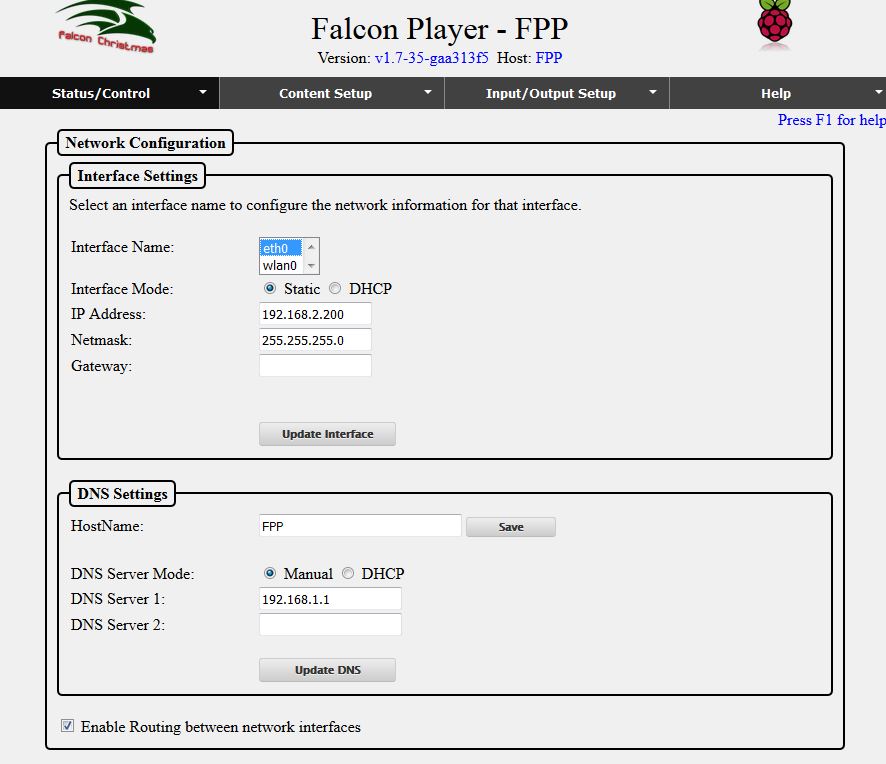
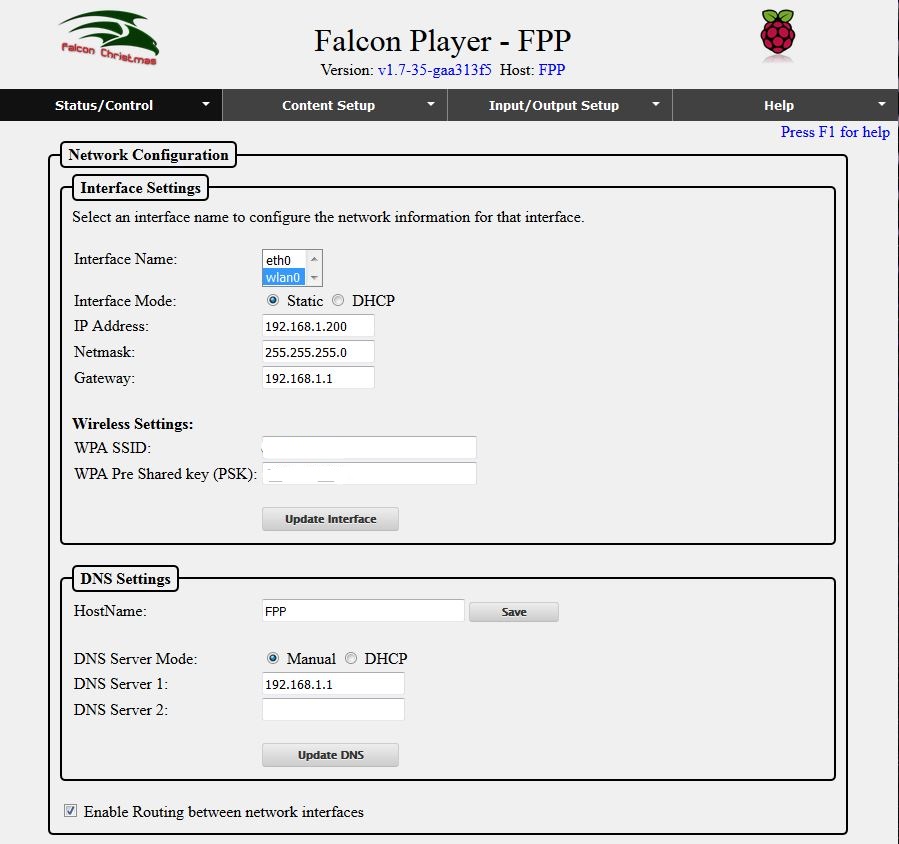
I put my eth and wlan on different subnets. this separates the network traffic.
Here is a screen shot of my Pi wifi settings.
Ethernet settings