

So I have added some script to my FPP. Now I want to run this script inside a sequence. I added the script to an event which have ID 1/4.
But I do not quite get how I then can call the event from my sequence ?

To run the event from vixen, all you need is basically two channels. Inside those two channels which will obviously be linked to your FPP Event when you export, you use custom values to create the trigger, it is just in a multiple of 10 though. So you would have first channel of 10 and second channel of 40.
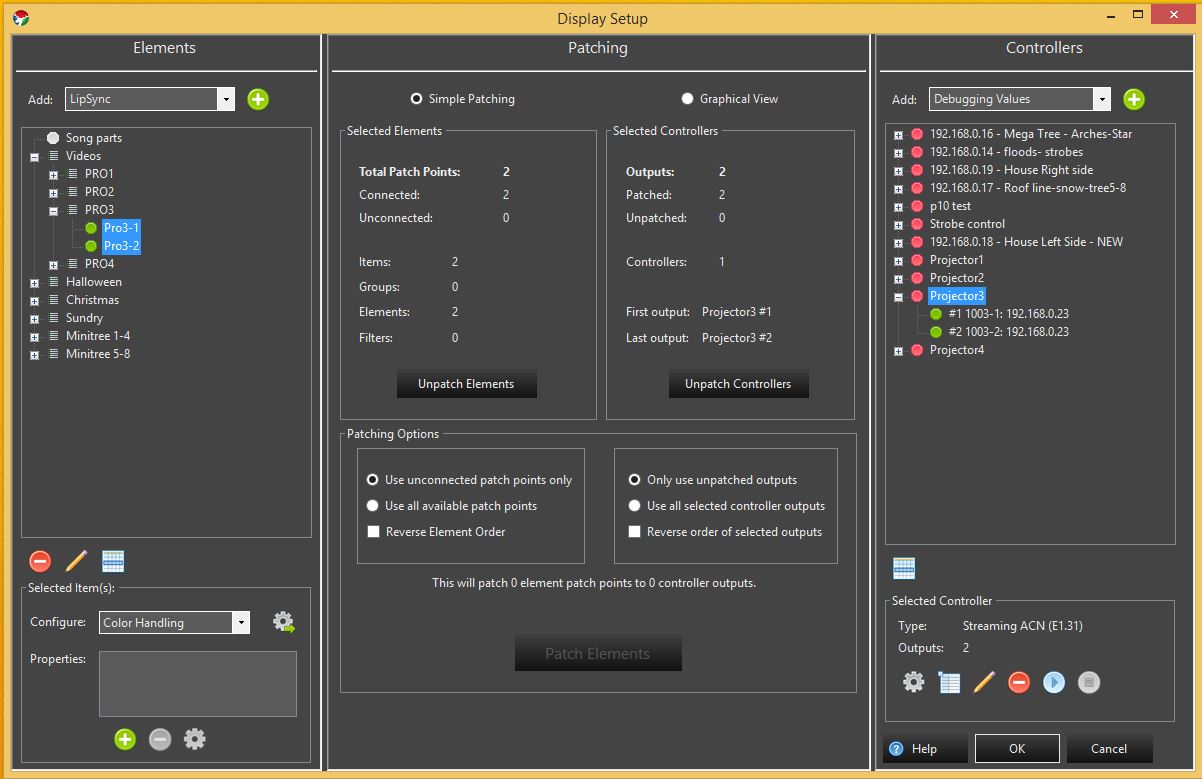
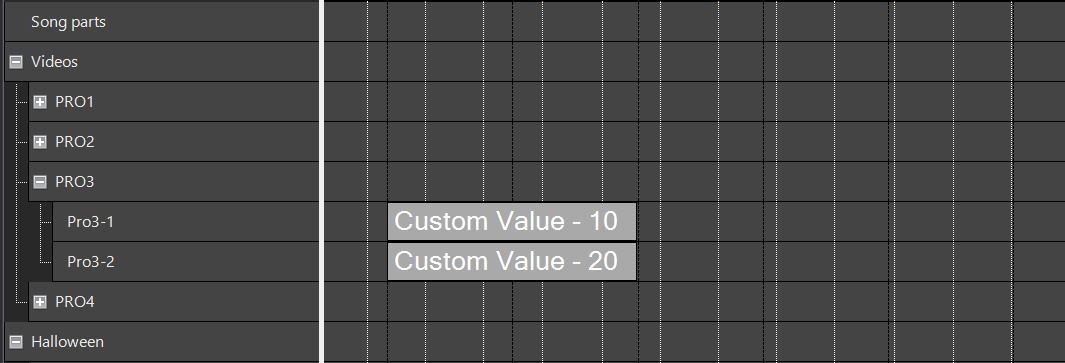
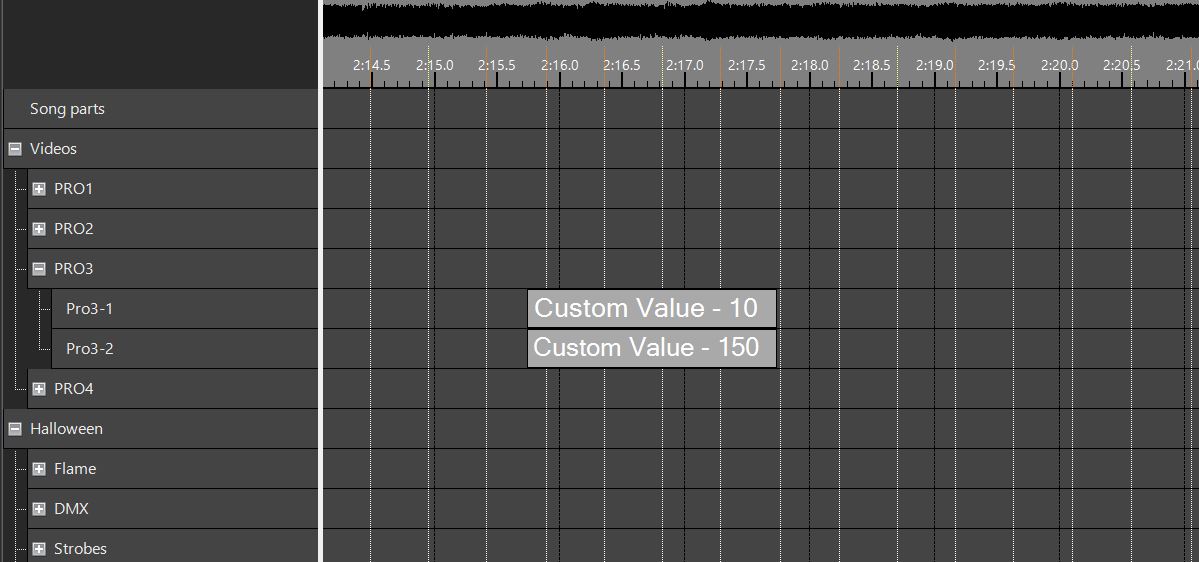
I am doing something wrong. Tried to attach some screenshots so you can check where I am configuring wrong.
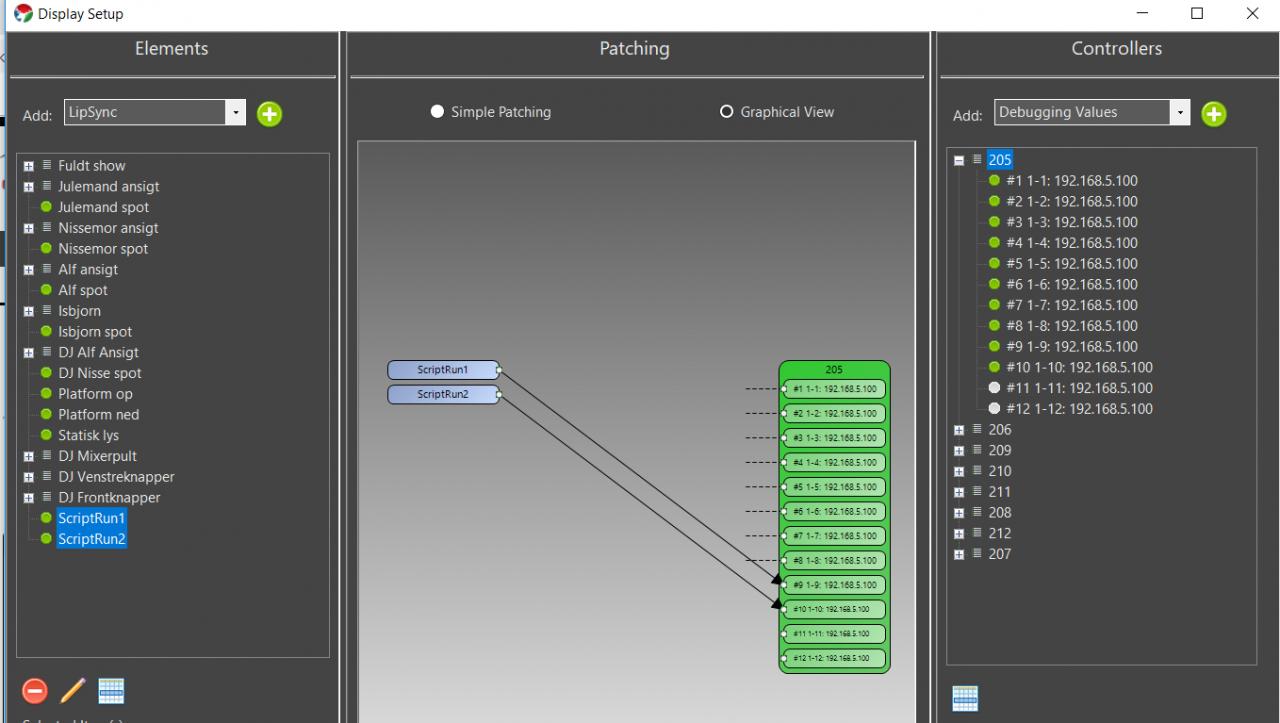
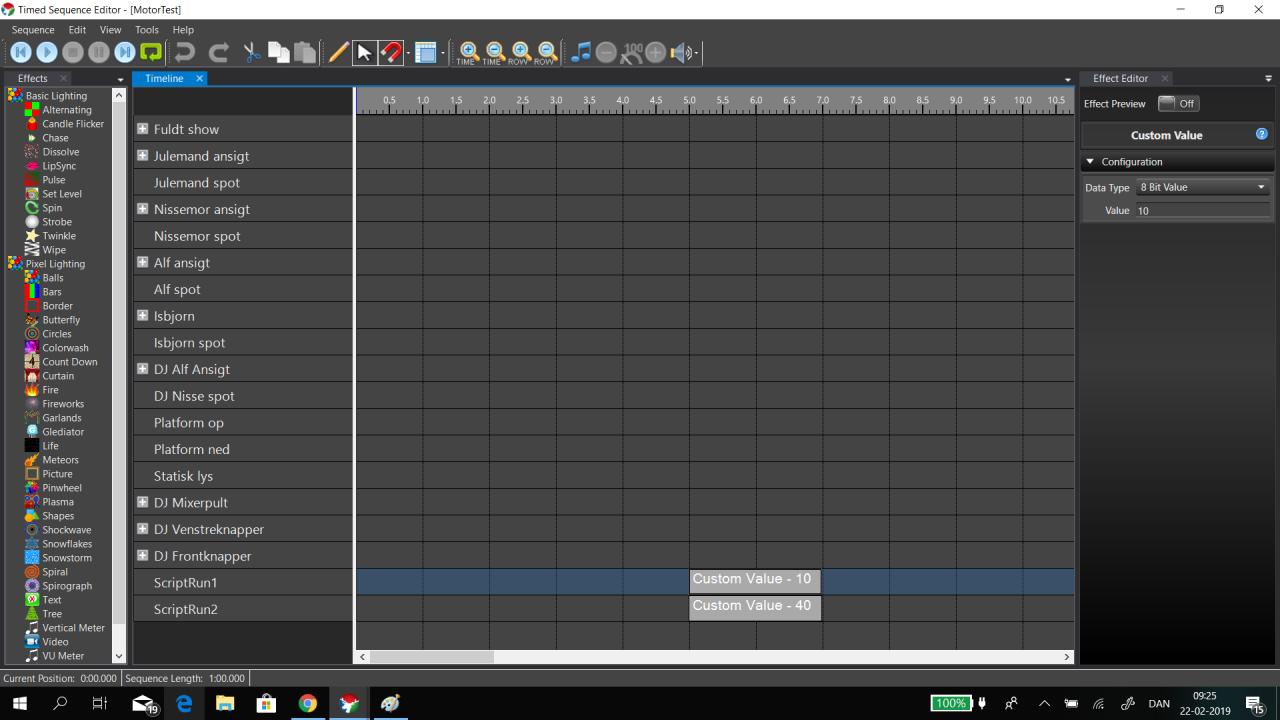


Screenshot 3 has no control channels defined. you need to set them to whatever channel numbers correspond with those script run elements. That would be 9 and 10 if you export the controllers in order.
I export in the controller order. And I tried to define the control channels but the sequence still do not run the script/event. So I guess I need some more help. I attached the screen of the mapping channels in the event and then I restarted to make sure.

Most of that configuration looks just fine.
One thing that strikes me as off is that you have these channels configured on an sACN output. Does that controller actually exist on the network? If not perhaps that's causing the problem. I'm not sure if FPP still reads the values for those channels if the target device cannot be reached.
I haven't personally done this kind of configuration on FPP 2.x yet. I've always had it working on 1.x where the channel blocks are all set up as outputs. There there's just one block of channels. Now that there's separate blocks for input and output, I'm not really sure how that plays with the channel buffer and where the event engine takes its values from.
Dumb question: the scripts work when triggered manually right?

I think it should still work the same on FPP v2.1 that he is running but I will need to check the latest version after Dan’s sparse file additions to make sure we always read those two control channels from the fseq if they are configured in the UI. I sent myself a note.
Script is working fine also running the script as an event is working fine. The way I have defined the channels I think should work as I am also doing this the same way, when I am triggered GPIO output from sequence. It seems as the script in the event is running for ½ a second triggered from the sequence, as I can see some activity (script is running a relay), but it should run for 10 seconds or like this. I upgraded FPP to version 2.5 but still same issue.
Scripts are only started from an event, the progress of the script isn't controlled by the event. The script is triggered when the control channel initially equals the event's value. that starts the script. It just runs from there. If you wanted it to run until explicitly stopped, you'd need another script to stop the first one, and that one would be associated with another event.
I do not want the script to stop, it just seems when I try to run this trough the events from a sequence it stops. Just running the event from FPP it runs the full around 10 seconds.
Hope that someone has some ideas to what else I could try. The custom value I used, should the value be bit 8 or something else (string value)? Could this be the issue?