Googling as I don't write C/#/+/++ It appears there is
timeBeginPeriod(i);
that will set the timer?
i is number of milliseconds.
https://github.com/randomascii/blogstuff/blob/main/timer_interval/change_interval.cpp
https://randomascii.wordpress.com/2020/10/04/windows-timer-resolution-the-great-rule-change/

I found this article. Might be helpful. Apparently there's a timeBeginPeriod and NtSetTimerResolution value that is accessible. (Apparently Mike and I were looking in the same place!!!)
https://randomascii.wordpress.com/2020/10/04/windows-timer-resolution-the-great-rule-change/

That appears to do it. I was vaguely aware of that, but was quite hesitant to go very far down that route because I was worried that I would have to bring a lot of Windows gui-related include files and libraries, but after adding two include files and one extra library it works fine with much smaller timer intervals. The .exe file didn't change size when adding that function call and linking with winmm.lib, somewhat surprisingly.
OK, I'm revisiting this. The previous Vixen setup has been over-written, and I'm having absolutely no luck with this. At the moment the program that I'm trying to launch is a simple C++ program that is creating and writing some data to a test file. That program works fine when invoked from a powershell window, but nothing seems to happen when attempting to launch it from the Vixen3 sequencer window. I'm not relying on it at the moment, but I'd like to add it as a tool in my tool-chest.

The launcher controller logs to the info log, so start by looking in that for information. It will look something like the following.
11/02/2024 17:05:08.791 [VixenModules.Output.LauncherController.Module] Launching Executable: C:\Program Files (x86)\Flex Meter\FlexMeter.exe with arguments []
11/02/2024 17:05:08.791 [VixenModules.Output.LauncherController.Module] Launcher Value Sent: Launcher|C:\Program Files (x86)\Flex Meter\FlexMeter.exe,
11/02/2024 17:05:19.686 [VixenModules.Output.LauncherController.Module] Process C:\Program Files (x86)\Flex Meter\FlexMeter.exe Completed After 00:00:10.8933615 with Exit code 0
OK, one thing that I tried was to schedule a show with the program that I wrote in the startup selection. It didn't work. It didn't work. It didn't work... It finally started working when I enabled the scheduler. Call me an idiot for not clicking the enable button, but I always thought that the word 'Enable' was just a type for 'Enabled', since there was no visual indicator that it needed to be clicked (such as an un-checked check-box next to the word). Even though it probably goes without saying, I'll say it anyway: deficient gui design).
P. Short wrote:
OK, one thing that I tried was to schedule a show with the program that I wrote in the startup selection. It didn't work. It didn't work. It didn't work... It finally started working when I enabled the scheduler. Call me an idiot for not clicking the enable button, but I always thought that the word 'Enable' was just a type for 'Enabled', since there was no visual indicator that it needed to be clicked (such as an un-checked check-box next to the word). Even though it probably goes without saying, I'll say it anyway: deficient gui design).
That click the menu item to enable is a well established pattern in many windows apps in menus. In some apps it is a dot instead of a check mark, but both are common. I can update the docs to make it a bit clearer.
jeffu231 wrote:
That click the menu item to enable is a well established pattern in many windows apps in menus. In some apps it is a dot instead of a check mark, but both are common. I can update the docs to make it a bit clearer.
Regardless of other apps, I think that there should be an unambiguous indication on the screeen that the scheduler is disabled, especially since the effects of a disabled scheduler may not be otherwise evident for quite some while. Just my opinion...
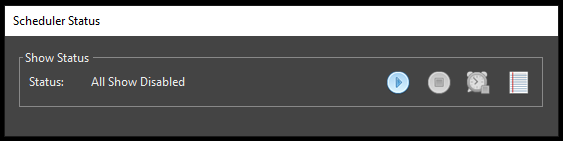
The other big indicator is the absence of the Scheduler Status window shown below. This does not appear if the scheduler is not enabled. When it is enabled then it shows what is scheduled to occur next, or provides real time updates of what is happening in a show that is running. So there are multiple ways to tell and some part of it is becoming familiar with how it works. It might be helpful to change the naming on the menu to be Enable instead of Enabled. A minor change that might change the perception of the menu item.