I recently purchased a Renard RHL PI ZERO PIXEL CONTROLLER KIT ( http://www.renard-shop.com/home/68-pi-zero-controller.html ). I got it all soldered up, and tried it out, but no blinky:). I have a Falcon Pi-Hat as well, and it works just fine(meaning I put it on the same Pi-zero board I was trying the Renard on, and it works). I am setting the Renard board up just like I had the Falcon Pi Cap setup. I attached a screen shot of that. I also attached pics of my solder work(I am not an expert...could be I just did that wrong). I am using a Meanwell 12V PSU (LRS-350-12). When using the Renard Board, I am also plugging a R-Pi PSU into the R-Pi.


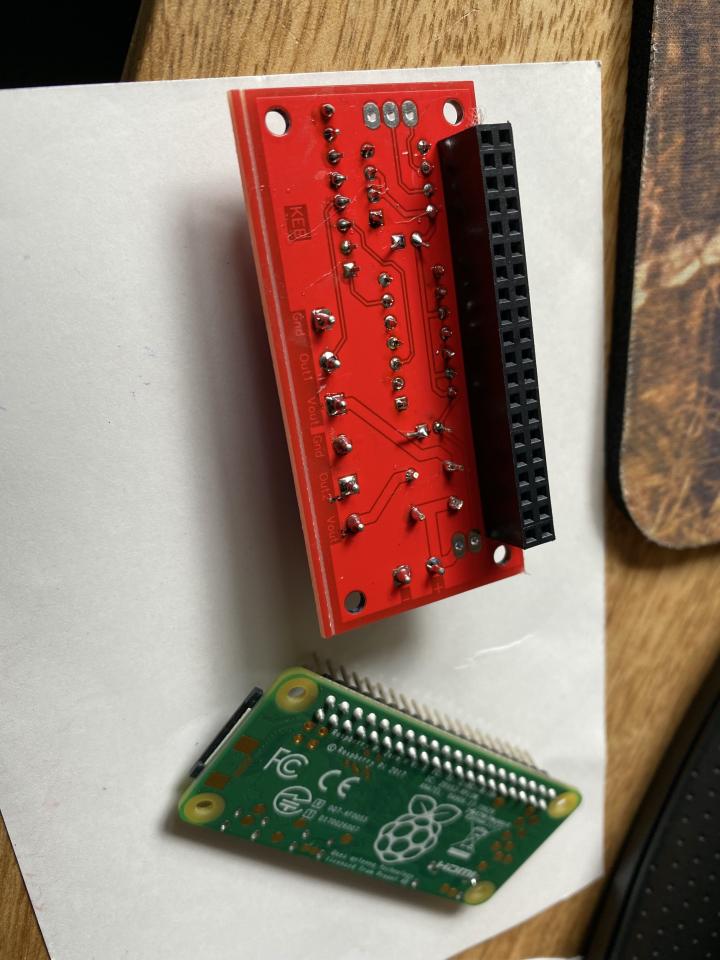

I would definitely look at your soldering around the middle of the board and reflow the connections.


I know it's way late, but look at your position of the 2 fuses next to power in, they should be in line with the long axis of the board, not perpendicular, if you review the photo on the renard website

m0214 wrote:I know it's way late, but look at your position of the 2 fuses next to power in, they should be in line with the long axis of the board, not perpendicular, if you review the photo on the renard website
Virgil1 had sent it to me to try to troubleshoot, but I had not gotten to it yet. You got the problem exactly, I just removed and replaced the 2 fuses correctly and it works perfectly!
Thanks!
2012 - 1st year 64 Channels - 7500 LED lights - 5 sequences
2013 - 128 Channels - 10,000 LED lights - 7 sequences (2 New)
2014 - 201 Channels - upgrading 8 Arches to dumb RGB - 8+ sequences (1+ New)
2015 - 240 Channels + 8 Universes - sequences TBD
2016 - No Display :ohwell:
2017 - Back in the Game - 240 Renard Channels + 12 Universes
2018 - 256 Renard and 9 Falcon Outputs of Pixels - 16 sequences shown over 2 nights
2019 - 256 Renard and 9 Falcon Outputs of Pixels - 16 sequences shown over 2 nights
2020 - Emergency Conversion to Falcon F48 with limited wireless
2021 - 10 RHL Simple Pi Pixel Controllers - 1 Master with 9 Remotes