

So I'm giving the new V3 a try again. I've reviewed my components, color filters and mapped to the controllers desired. I verified the preview is setup. When running a simple no audio 1 minute timing sequence, I'm not seeing any response in the preview. Is the Preview working in the latest version?
Michael

New for 2016: Getting my ESPixel network to function, 4 HDPE Pixel Arches, Pixel matrix on tree trunks. PIXELS!!!FACEBOOK: https://www.facebook.com/GothambeatProductions?fref=ts
Gotham Beat Productions LLC

Mine is Yes

sounds like you didnt attach your preview channels too the actual channels
I did the mappings If I click through the elements, the lights in the preview highlight.
Michael
New for 2016: Getting my ESPixel network to function, 4 HDPE Pixel Arches, Pixel matrix on tree trunks. PIXELS!!!FACEBOOK: https://www.facebook.com/GothambeatProductions?fref=ts
Gotham Beat Productions LLC

You mention trying again. Did you start from an old profile or from scratch? If it's an old one, how long has it been since you set it up? (Just trying to get a feel for how many versions may have been skipped)
The preview does work in 3.1u2 and all of the recent release versions for the past 2 years. There's been bugs here and there, but none that kept it from working.
This may be a basic dumb question. But you know the preview editor doesn't show the preview playing. That's only seen in the preview viewer, which is only visible when that preview is checked in the configure previews screen.
--Jon Chuchla--
Sent from my iPhone using Tapatalk
Jon,
Yes, I have the preview setup and save it. Then on the Preview screen there are two different previews listed. I have the new one checked. I go into a sequence and play it. The preview shows on my screen of my house but no blinky flashy.
Michael
New for 2016: Getting my ESPixel network to function, 4 HDPE Pixel Arches, Pixel matrix on tree trunks. PIXELS!!!FACEBOOK: https://www.facebook.com/GothambeatProductions?fref=ts
Gotham Beat Productions LLC
In the preview setup screen, are the props Teal colored with a yellow dot on the first channel? or are they white? White means they're not linked.
Are the props set up appropriately for pixel or standard string type?
If you click on the "linked elements" property where it says "collection" Do the links look the way they should?
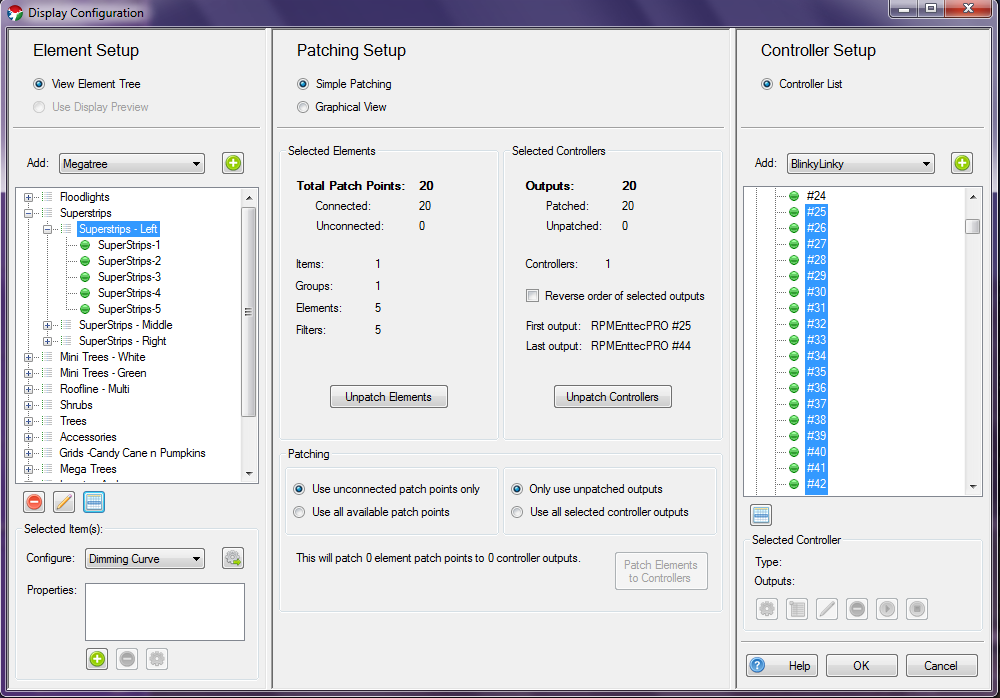
I last tried V3 over a year ago. I"m using the same setup I had. All appears to be linked. Attached shows the superstrips on the soffits


Michael
New for 2016: Getting my ESPixel network to function, 4 HDPE Pixel Arches, Pixel matrix on tree trunks. PIXELS!!!FACEBOOK: https://www.facebook.com/GothambeatProductions?fref=ts
Gotham Beat Productions LLC
In that screenshot of the preview, nothing is linked. I can tell because all of the props are white. If they were linked they would be yellow.
I think you may be confusing display patching in display setup with linking in the preview setup. The two are completely independent. You actually don't have to do any display patching for the preview to work. In the preview, the normal process is to first select the element on the left, and then the drawing tool and then draw the prop. Doing it this way automatically links the newly drawn prop to the elements that are selected. The manual way to link props with the elements is to select the prop that's drawn on screen and then go to the properties pane and click on the linked elements property. You can manually link the elements to the props in there.
--Jon Chuchla--
Sent from my iPhone using Tapatalk
Jon, That's what I don't understand. In the preview setup on the linked elements tab you can see that Superstrip 2 is chosen on the available elements side, it is highlighted pink on the house and it shows it is Linked to Superstrip 2 on the "Linked Elements side of the table. The data says it's linked but the color is still white when not selected.
Michael
New for 2016: Getting my ESPixel network to function, 4 HDPE Pixel Arches, Pixel matrix on tree trunks. PIXELS!!!FACEBOOK: https://www.facebook.com/GothambeatProductions?fref=ts
Gotham Beat Productions LLC