

Just wondering how to setup RGBW pixel in Vixen. When I set colour handling to RGBW I can only use red, green and blue separately. I don't own any RGBW pixels to test just wondering and WLED for the future.
Also how do I fade a single(any) colour up and down in brightness alone ?
Thanking about my own post again, I assume WLED would sort out the RGB and white rather than Vixen. Sending full RGB (255,255,255) the WLED would turn on the white led rather than all three RGB LED's ??

myozone wrote:Thanking about my own post again, I assume WLED would sort out the RGB and white rather than Vixen. Sending full RGB (255,255,255) the WLED would turn on the white led rather than all three RGB LED's ??
I recently added RGB strips to my old white window frames, to add the the ability to change colors. I drive the new RBG's with a RP RGB24 strip controller driving the RGB portion and a Ren64+SSR to drive the White. I have the white circuit in there because the combination of all three (255,255,255) does not produce a clean white light. It has a purplish/blue tinge to it.
My set up is as follows (see RGBW-Setup.jpg)
Window1-->Color Breakdown-->Output1 (Ren+ RGB24)
\\\-->Output2 (Ren+ RGB24)
\\-->Output3 (Ren+ RGB24)
\-->Output25 (Ren64 with SSR)
Window2-->Color Breakdown-->Output4 (Ren+ RGB24)
\\\-->Output5 (Ren+ RGB24)
\\-->Output6 (Ren+ RGB24)
\-->Output26 (Ren64 with SSR))
If you are not running the 4th circuit for "W" you will have to set the "Multiple Independent Color" (see RGBW-Setup.jpg) in your display setup to just RGB and turn on the three colors at the same time (RGBSetup2.JPG) in the sequencing screen to produce and "off white".
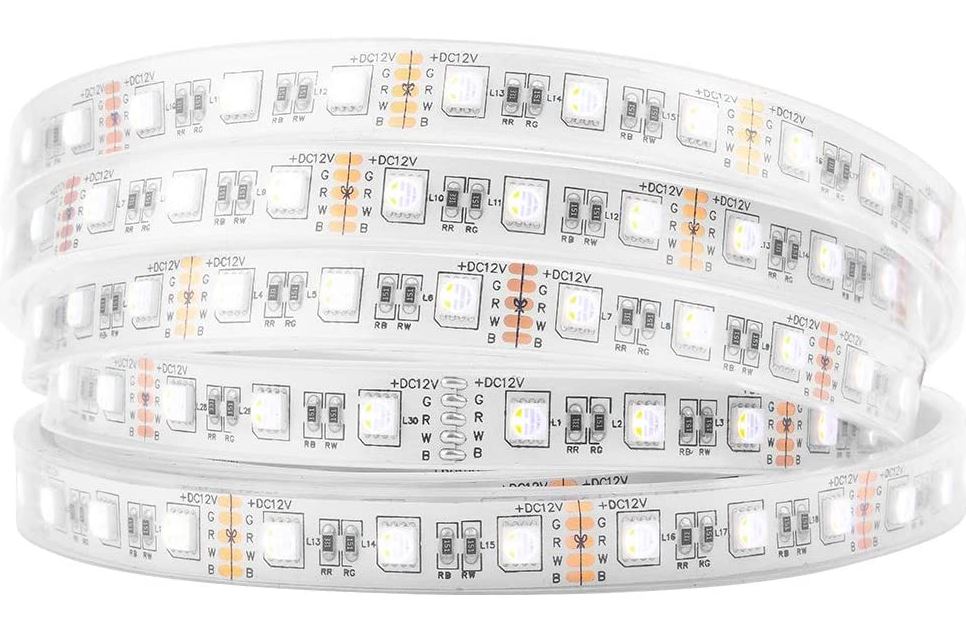
If your RGBWs are like the RGBW3.JPG picture, with a separate circuit for Red, Green, Blue and White, then your display setup would be similar to mine, having four channels to drive one RGBW strip. Your then select the discrete color while sequencing.
-Tony



ChiefWarrant wrote:I recently added RGB strips to my old white window frames, to add the the ability to change colors. I drive the new RBG's with a RP RGB24 strip controller driving the RGB portion and a Ren64+SSR to drive the White. I have the white circuit in there because the combination of all three (255,255,255) does not produce a clean white light. It has a purplish/blue tinge to it.My set up is as follows (see RGBW-Setup.jpg)
Window1-->Color Breakdown-->Output1 (Ren+ RGB24)
\\\-->Output2 (Ren+ RGB24)
\\-->Output3 (Ren+ RGB24)
\-->Output25 (Ren64 with SSR)
Window2-->Color Breakdown-->Output4 (Ren+ RGB24)
\\\-->Output5 (Ren+ RGB24)
\\-->Output6 (Ren+ RGB24)
\-->Output26 (Ren64 with SSR))If you are not running the 4th circuit for "W" you will have to set the "Multiple Independent Color" (see RGBW-Setup.jpg) in your display setup to just RGB and turn on the three colors at the same time (RGBSetup2.JPG) in the sequencing screen to produce and "off white".
If your RGBWs are like the RGBW3.JPG picture, with a separate circuit for Red, Green, Blue and White, then your display setup would be similar to mine, having four channels to drive one RGBW strip. Your then select the discrete color while sequencing.
-Tony
I do not see that you include WLED in this reply and am curious if this would negate the user settings in WLED for RGBW pixels.
The latest firmware for WLED allows users to select from multiple options as to how white is processed.
It will be interesting to hear from users that have tested this.

Hi - this is how I approach it....
I have some RGBW moving head wash lights, I'm also using some RGBW LED floodlights on my display this year. Each device used 4 channels rather than the normal 3. The moving head wash lights use 4 DMX channels for the colour, for the floods the controller is patched to 4 nodes for each device rather than the normal 3. The chips they use are compatible with WS2811 but have 4 outputs rather than 3.
You are correct that VIXEN only supports RGB, or single colour modes - I'm not sure how RGBW could be implemented since R+B+G is also W, but as you will know the white you get out of the RGBW devices is much purer / higher quality white.
In my sequences I have a couple of entries in the node list for each unit, one for the RGB and the other for the W. I can choose which I want to use. You can get quite a nice effect by having a colour set then use the 'twinkle' effect on the white channel for example. On the VIXEN preview I put the pixels on top of (or very near to) each other.
For lots of pixels it would be tedious to do the patching since I don't know of a way of doing this in bulk. In VIXEN normally you can select the nodes then map to the number of controller outputs (which is number of nodes x 3 for RGB)
For three nodes of RGBW you need something like
Node 1a R -> Output 1
Node 1a G -> Output 2
Node 1a B -> Output 3
Node 1b W -> Output 4
Node 2a R -> Output 5
Node 2a G -> Output 6
Node 2a B -> Output 7
Node 2b W -> Output 8
Node 3a R -> Output 9
Node 3a G -> Output 10
Node 3a B -> Output 11
Node 3b W -> Output 12
and so on....
Note also your pixel colour order may not be RGBW as per the above example.
In answer to your other question about fading a single colour - for the RGB element you just morph from one colour to another. If you want to change just blue then you make sure your start and end red and green values don't change over time. So they may be zero, or something else. Anywhere between 0 and 255. For the white channel you just set the intensity from 0 - 100 instead.