

Windows automatically make ajustments' when promped to apply to the program. I will see if I can get some screen shots on the steps I took to get there.

If you right click on the program icon and go to properties, there will be a compatibility tab. There's 6 or so options in there. I'd be interested to see which settings it made.
--Jon Chuchla--
Sent from my iPhone using Tapatalk
I had to recreate what I did, lol but if you look at the sceen shot its not the one you are talking about. I went all programs, and opened vixen then right clicked on vixen sub folder towards the top you will see troubleshoot compatiblity. That is what I selected.
Joe
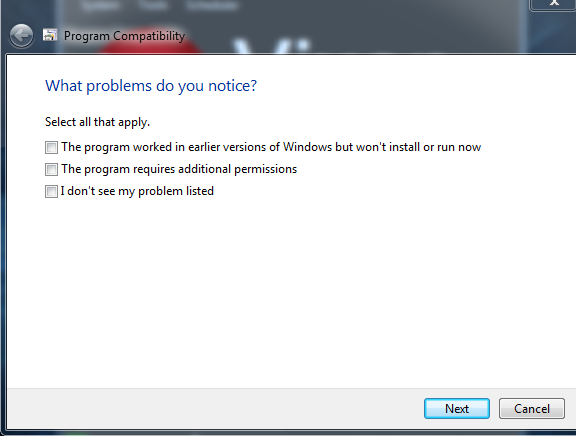
That's just a wizard to set the compatibility settings. The resulting settings that this wizard adjusts are found in the compatibility tab of the properties form.
In any case, regardless of the method you followed, you still didn't answer the question. How did your answer these questions the wizard presented you?
--Jon Chuchla--
Sent from my iPhone using Tapatalk