

I have a couple of 6804's set up via unicast, the first with universes 1-12 and the second with universes 13-24. Different ip for each controllers, etc.
I created a quick sequence in xlights , added a model that is on channels 1-170 (which is on universe 1) and outputted to lights. I am seeing traffic counts on the second 6804 which is a different IP and different universe (13-24).
I thought the point of unicast was to only send the data to the specified controller? I figured I would not see any traffic on the second controller since no models were added in that channel/universe range..

I'm only going out on a limb here but have you setup the sequencer/show player with the appropriate ip for the controller as that maybe sending data to both controllers?
Also, is the data transfer you see as large as what is being received on the first controller? Maybe there is a small amount of communication via the sequencer/show player even if data is not being pushed to that specific IP.
Again, just thinking out aloud and could be miles off.

Can you post your xlights and controller setup pages? Have you rebooted controllers after making all the changes?
Screenshots attached. Again, this is just testing so there was only a 50 pixel strand attached to controller 1 output 1.
Also I just booted the controllers that's why there is no traffic counters.
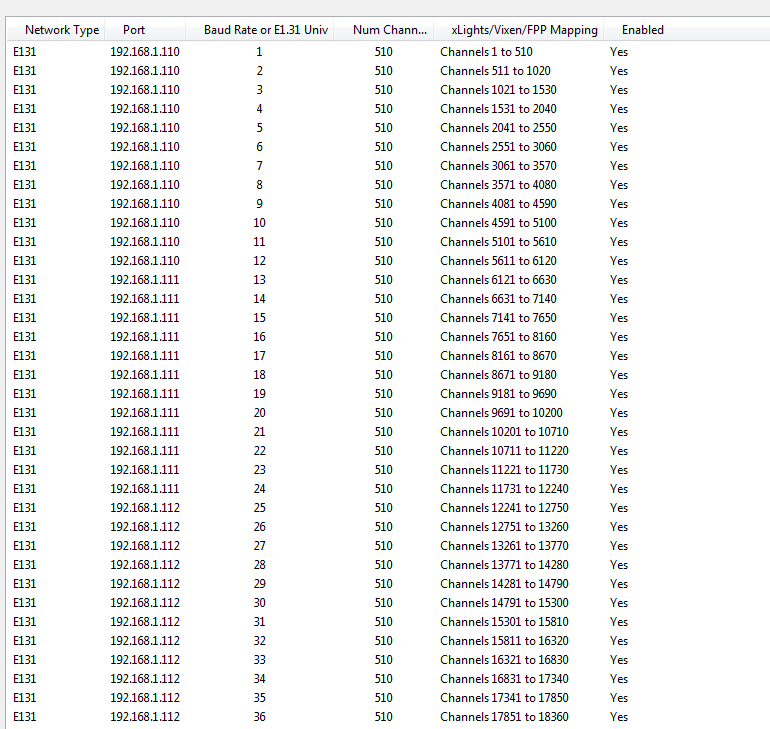
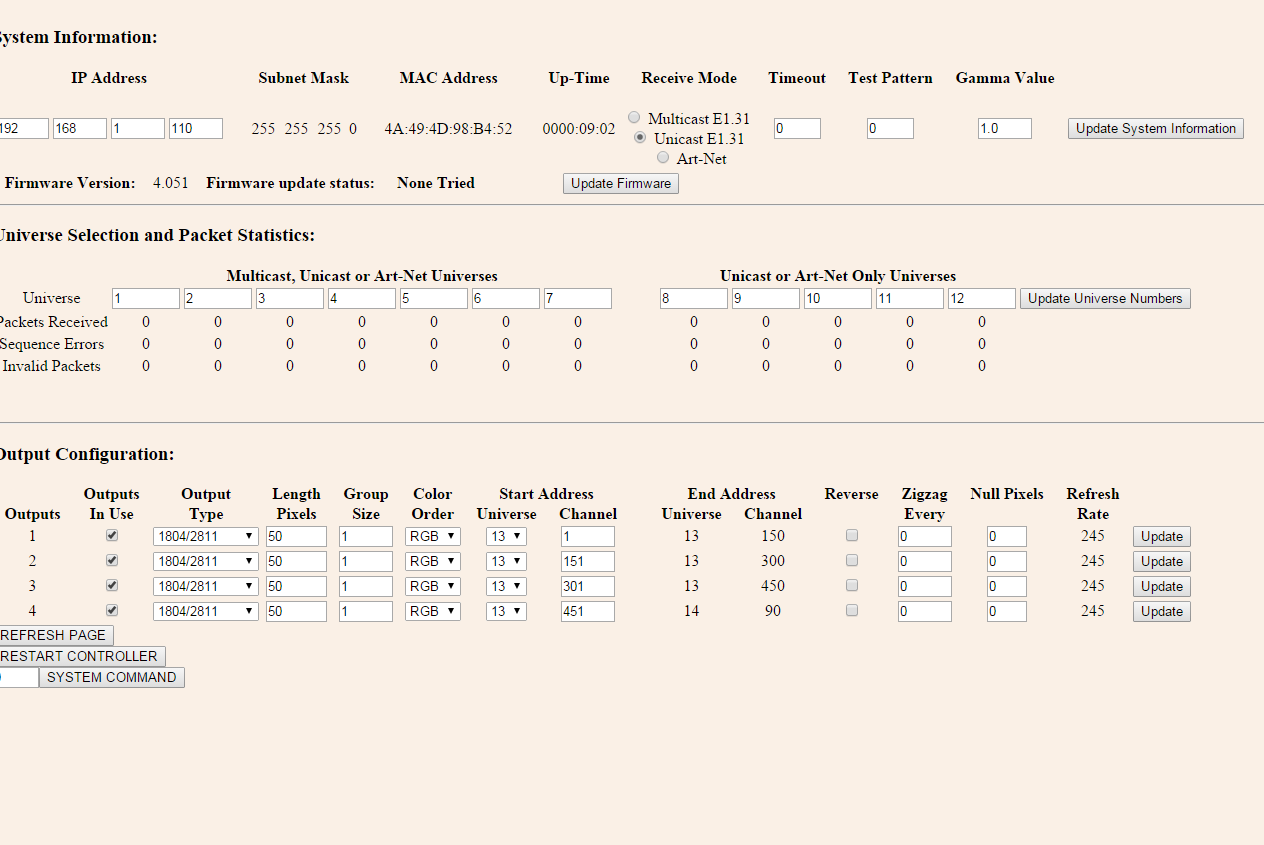


djl7780 wrote:Screenshots attached. Again, this is just testing so there was only a 50 pixel strand attached to controller 1 output 1.Also I just booted the controllers that's why there is no traffic counters.
Your xLights configuration shows that both controllers (.110 and .111) are enabled. So xLights is sending data to both controllers - to the inactive one it's just sending 0's... but it still counts as traffic. It shouldn't of course send each others traffic to the other controller... but there is no easy way to verify this. (Wireshark would be the non-easy way).
Disable one controller in xLights and you should only see traffic counts on the other one.