

In addition to a few core tools that have gotten me through the past few years, my new setup this year forced me to make a quick SSR Tester to add to the the mix. so I thought it might be nice to document my two main tools:
SSR Simulator/Cable Tester
The First Tool I have used for a while is my SSR Simulator/Cable Tester. It's simply a Surface Mount Ethernet Jack that I populated with Replacement LED Bulbs and some simple resistors. This tool took me less than 10 minutes to build and cost maybe ~$3. It has saved me all kinds of time. I use it to test my Cables coming from the my Renard 64, 24LVs and now SR 32Combo as well as testing the outputs of these controllers. The only thing I would add to it is a smaller LED that simulates the Power LED on the SSRoz,ez, and Neons. Of course, that would be easy to add to Pin 7.
I know it seems simple and stupid, but trust me it's a great tool that generally stays in the same pocket of my work jacket as my LightKeeper Pro. There have been plenty of great little tools like this that are much cleaner and cooler looking. My problem is that if I wait to build something nicer, I wouldn't have anything.


SSR Tester
Another tool that I needed, but only just built is my SSR Tester. Until this year, I always had an extra Renard controller in my shop to test SSRs that I suspected of having issues or new ones that I had just built. Well, my financial situation necessitated that I sell off my extra unused equipment. As such, I had nothing to test SSRs. The situation was further compounded by my new Minitree setup that as Light strings directly soldered to the DirkCheapSSRs. In order to test them and fix the lights, I needed something to turn them on.
One night as I was struggling to get all my newly configured minitrees online, I built this tester. Found some crude switches in my Junk Pile and Leds in my electronics stash. I had some tupperware-type containers from the dollar store that I had already painted in anticipation of using for SSRs last year.
Materials:
4 Switches
4 Leds (Optional)
4 Resistors 680 Ohm (Optional)
Keystone Style Ethernet Jack
Battery Pack (I used 9v with an emulator. Could use a 4 AA Pack as well)
Container
I used the Keystone Jacks that I got for free from work. They are two position, but I'm only using one. I may redo this design and add 4 more LEDs to be used a another Cable Tester/SSR Simulator like the one above. I cheap container allowed me to cut the holes for the switches and the Ethernet Jack module with a Box Knife. I bolted the switches in place and used little Radio Shack LED hoders for the LEDs.
Most know the wiring diagram, but I'll put something together for others if needed.
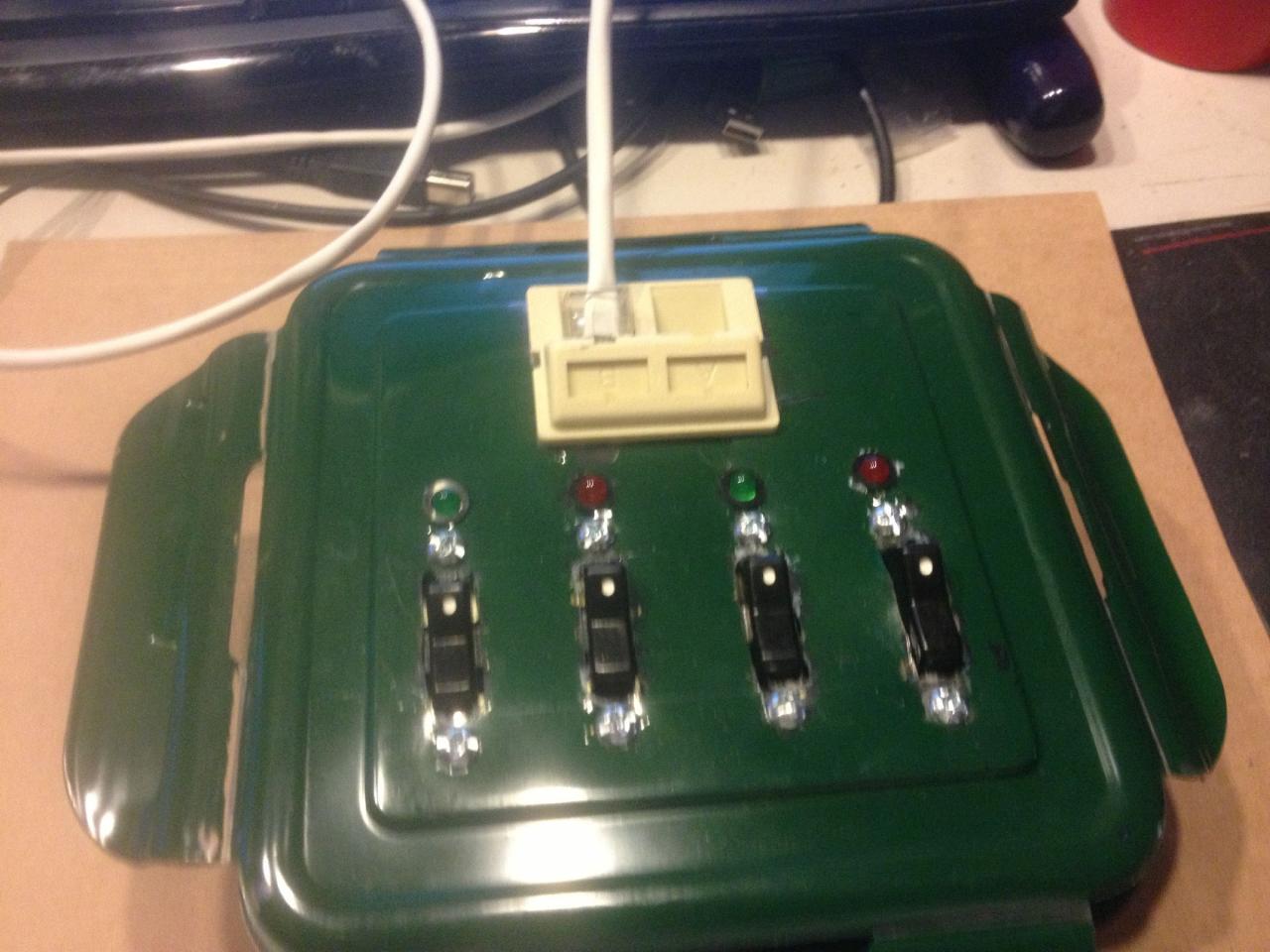


As long as it works that is the most important thing...

I would like to see some more specific information on the "testing tools". I am new to the community and with plans to build a lot of SSR's and controllers this next year an easy & convenient way to test them would be nice. I would like to see something that allows the testing of the channel outputs and the communication (mainly due to the idea that I am going 100% wireless) if anyone has something in that they use and some documentation it would be great. I have a general idea of how these things work, but still a lot of learning to do. So this would help speed the process up.

Perhaps it's time to "productize" some of these tools many of us have been using and create standard/production boards/BOMs, etc and make kits like the rest of the stuff here. I'd be happy to take on something like this after the holidays. We can figure out a 'best of breed' from the various designs and come up with something that will work for anyone/everyone.
budude wrote:Perhaps it's time to "productize" some of these tools many of us have been using and create standard/production boards/BOMs, etc and make kits like the rest of the stuff here. I'd be happy to take on something like this after the holidays. We can figure out a 'best of breed' from the various designs and come up with something that will work for anyone/everyone.
Sounds like a good idea, but I would push for the cleanest, simplest and cheapest solutions possible. That's why I like what I have. Crude, brute force and cheap, but most importantly, they do the job.

Kelly- those look really useful! Great job.
As silly as it sounds, I built a vampire plug tester. After installing a female vampire plug, I plug in the cord, battery, led into the freshly installed vampire plug and if the LED does not light, there are no shorts, then I intentionally short the other end (usually placing the end of the wire against something metal) and if the LED does not light, I have an issue with the vampire. I was really frustrated with myself early on with the vamps until I figured out how to keep them from folding over their teeth and not making contact with the help of this simple stupid tool.