

Can someone please steer me in the right direction:
My sequence mapping is not working.
Even when I output from xLights to my controllers instead of the Pi (In test mode everything lights up, so I know everything is connecting and talking but I must have my configurations on my set up and in my models wrong?
Here is what I have:
LOR 1-16
Falcon Controller #1 - 16 outputs
Falcon Controller #2 - 32 outputs (Expansion board w/ 4 receivers)
I changed my Falcon web interface to absolute and my xLights models to absolute channels.
Still stumped...
Only 2 days left until my show is scheduled to start 🙁
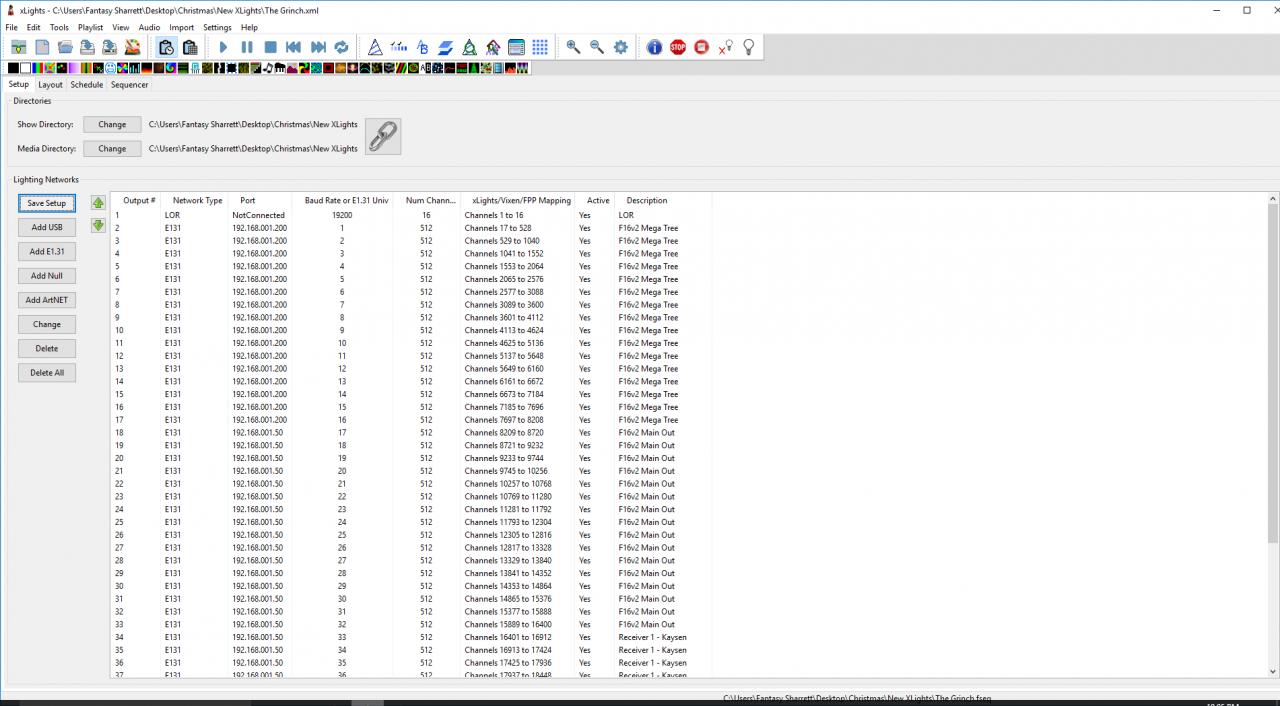

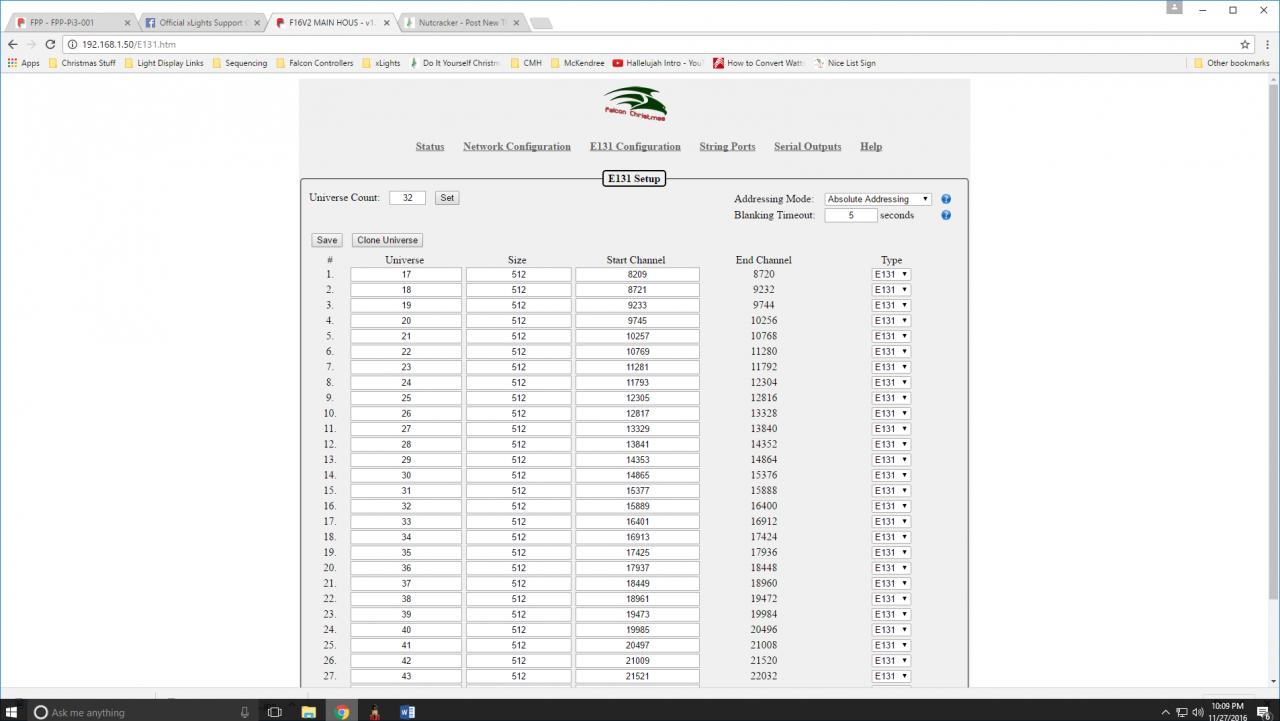

Can you post your Falcon Controller string setup pages?

I've been told a few different approaches, so far no luck. I have my sequence done and every prop and outline in the yard and ready to rock and roll, and now this mapping is the last piece of my Magic Show!
Here's what others shared, but so far I must still be missing something.
First set it to Universe / Start Channel
Then no, set it to Absolute
In xLights Map your models to absolute and the actual start channel of the universe
In xLights Map your models to the IP, Universe, and Start Channel
Also told to change my channel counts from 512 to 510
Here's what I understand:
xLights Set up page must be correct
Models mapped to xLights Set up page
Falcon Controller Web Interface must match xLights Set up page
Falcon Pi Player must match xLights Set up page
So, hmmm 🙁

You don't have SanDevices controllers so the 510 advice probably won't help. Make sure you only have one active network on the PC...so if xLights is supposed to use a hard-wired Ethernet then shutoff wifi. Create a quick test sequence. I just click the new sequence button, hit the green button option 3 times in a row, drop a Butterfly effect on preferably a whole house model, click the output to lights button, go outside and marvel at your work.

I am having a similar problem. Test mode everything is great and works fine. My problem is when I go to play the playlist or sequence the display doesn't load properly until I render each song. In other words I can't play a playlist. I am thinking that part of my problem may be my PC, but I just bought it brand new and only for this purpose. I have re-mapped everything on my and I do start each item with a channel number that matches the setup screen. However, had to deal with many crashes in xlights doing this. I am trying a Pi tonight or tomorrow, but if that doesn't work, then I can officially say it is a software issue somewhere.
If you can't just open the sequence and hit play without rendering then the FSEQ file does not have the correct data saved in it.
That is exactly what is happening. What is the fix for this? I have had 5 songs done for a while, rendered several times, but will only play when they are rendered again.

You need to save after rendering to write the fseq file to disk.
I have done that several times. I render, then save before closing out.