

I keep getting this error when I try to log into DIYChristmas. It goes away when I click "continue to site," but it's just annoying.
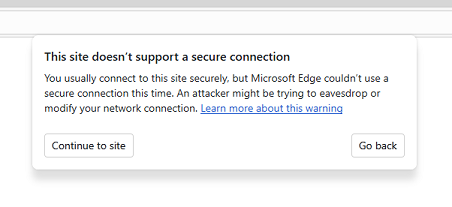

For some reason you are not establishing an HTTPS session to the site. I know it supports HTTPS because I am using HTTPS to reach the site.

Since I can access the site fine, it’s something on your end. Check your computer time, try a different network or hotspot, and temporarily disable your antivirus web protection — that’s usually what causes this.

This can also happen if the web server for this site hasn't yet loaded the SSL modules, which can happen after the web server starts....
The site was having some problems earlier today.... was invisible for a time, downforeveryoneorjustme reported it down....
I believe Macrosill previously mentioned clearing the cache after upgrading the site awhile back.


MartinMueller2003 wrote:
For some reason you are not establishing an HTTPS session to the site. I know it supports HTTPS because I am using HTTPS to reach the site.
Once I click continue, I get a secure connection.
ErnieHorning wrote:
I believe Macrosill previously mentioned clearing the cache after upgrading the site awhile back.
I'm going to clear the cache and see if that works.
tfischer wrote:
This site has been unusably slow for large portions of today as well as yesterday. I would imagine all sorts of errors are possible when pages aren't loading.
Still unusably slow!
Cleared my browser data! No errors when reloading, and pages are loading a bit faster. Let’s see how it goes over the next few days.
Thanks for the help!