

Hello!
Last year I ran my show from the PC, without any problem.
But this year I wanted to try to take it for Raspberry.
Well, I load my sequences in Fpp, no problem
but at the time of reproduction only a string of lights is illuminated, with only 3 lights.
However, from the computer there is no problem.
if I do a display testing they all shine, but if I run a sequel only the first string shines with 3 lights.
I know it must be a problem with ports or similar
But I can't find the solution.
Any help is appreciated.
Sorry for English, it's not my language;)

Your English is good.....
Need a lot of information to pinpoint the issue.
First, what sequencer are you using.
- If Vixen #, please post a shot of the EXPORT data. See sample 1 below.
Next, how are you configuring the FPP output. Please post a picture. See sample 2 below.
These two my pictures may be enough, if not, they will hep to ask the better questions.
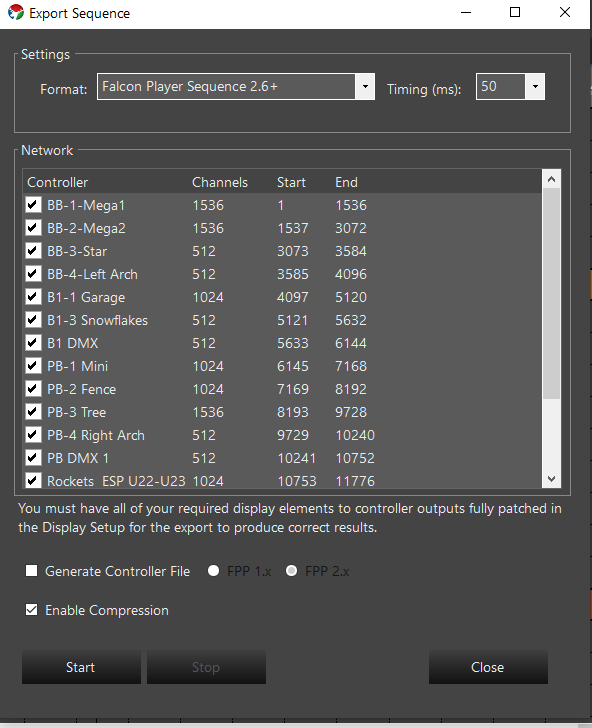
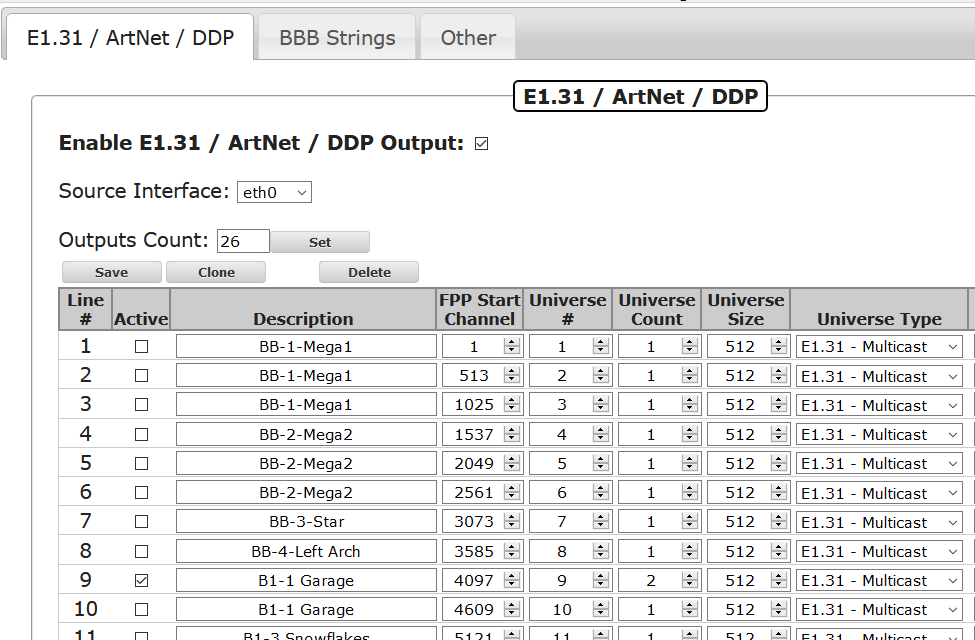
mrGrumpy wrote:Your English is good.....Need a lot of information to pinpoint the issue.
First, what sequencer are you using.
- If Vixen #, please post a shot of the EXPORT data. See sample 1 below.Next, how are you configuring the FPP output. Please post a picture. See sample 2 below.
These two my pictures may be enough, if not, they will hep to ask the better questions.
Thank you very much for your prompt response,
I am using Xlights 2019.58
And FPP V3.3
My controller is a FalconFv16v3
I can't find the method to export my sequence as in example 1)
Im attach these images to see if we see the fault.


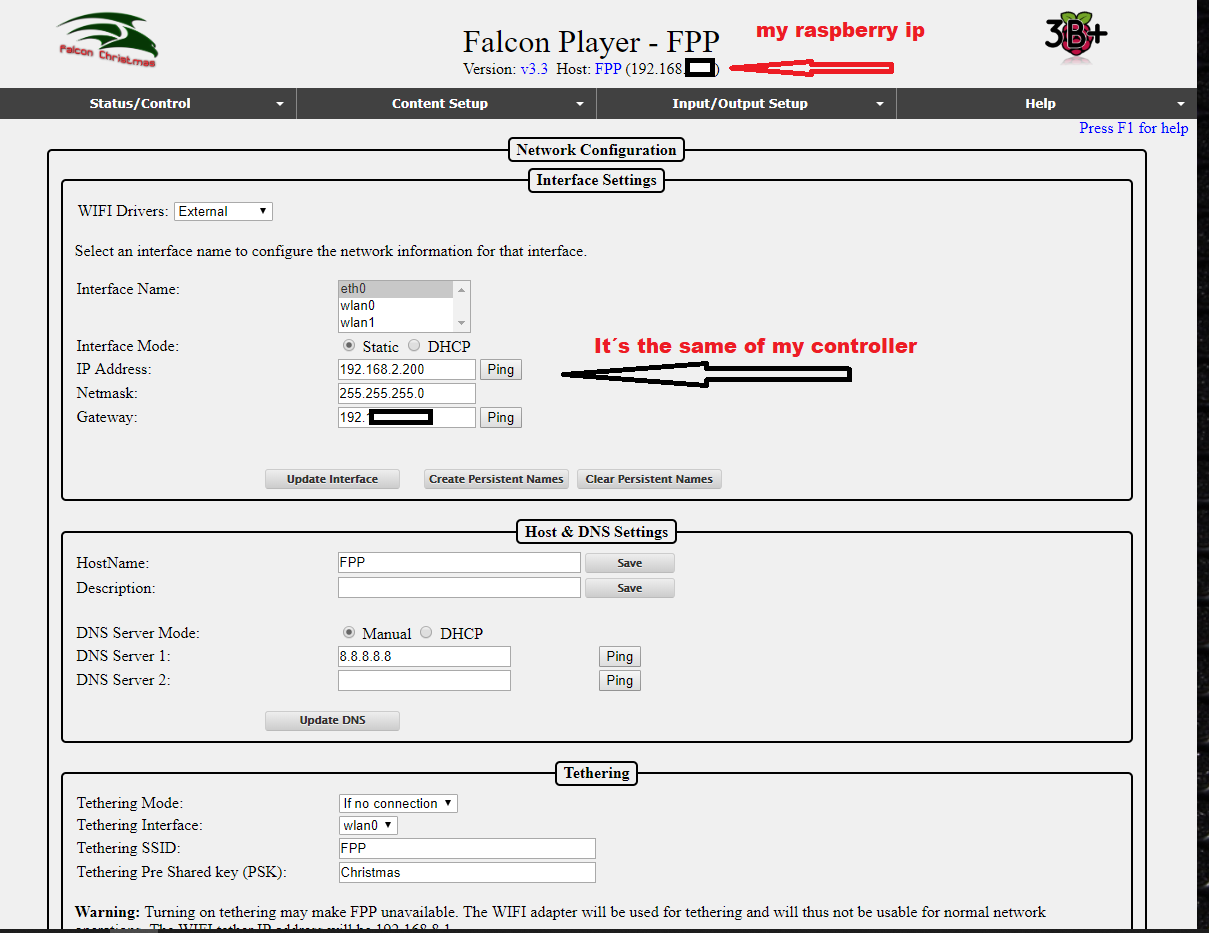
Thank you very much from Spain
OK...
You must be a sorcerer, since I just solved the problem.
The steps to follow were ...
Open each sequence again save and upload the files again one by one ...
For now I have 2 and IT WORKS!
I have a question
Is it better to run the sequences from the micro sd or from a USB?
I want to include projections in my show, USB memory can be a good option.
Great, glade you got it working...…
For my FPP (new ver 3.4 is out) I run everything on the uSD.
With the latest compressed sequence format, there is little need to go USB....unless you play movies.