

Has anyone else had the problem of Vixen 2 saying that the associated Dongle port is not available ?
I have successfully connected to the ENTTEC PRO dongle from time to time but more often then not I just receive the error, it is if the port
is being "stuck" and will not release for the programme access. When trying to associate Vixen 3 it tells me that the port is busy. The Light is off on the dongle and I have verified its existence with the ENTTEC PRO utility ver2.
Please HELP
Graham
P.S
I am using windows 10

Vixen 2.1x has a "thing" about more than one USB dongle of the same manufacturer/chipset, it will always complain about the port. ie 1 x FDTI, 1 x Prolific usually works, but not two of one or the other. The screen gets fill by oblong warning boxes!! This could be having a bearing on your problem.
Terry

i use an Entec DMX Pro dongle, along with two USB to serial dongles for Renard connections in Vixen 2. As long as I don't unplug then reinsert in different locations, vixen runs fine. I am required to restart vixen each day prior to running the scheduler. you may want to double check that the com ports are available, double check your profile that you have it assigned to the appropriate com port, also make sure there's no extra instances of vixen running - either reboot, or go into task manager and kill any extra vixen instances.
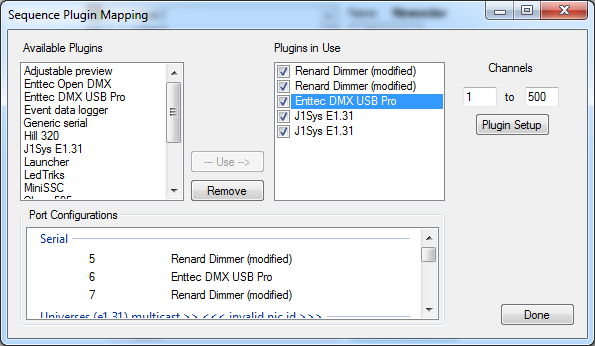
Hi Terry , Thanks for the info, I am only using one Dongle at this time I have removed the software and reinstalled it with no luck. I do not get the oblong boxes just a message that the port ( in my case com port 5 ) is not available and execution will be stopped. 🙁
cheers Graham
Thanks for the reply, I do restart Vixen along with the computer at the start of each session and 9 times out of ten I receive the com port unavailable error . The com port shows up in control panel as working if I uninstall it then reinstall the dongle it comes back as installed yet when I restart Vixen most of the time " NO JOY" . I have noticed that the ENTTEC PRO utility may tack one or two refreshes to find the dongle itself so this may be an issue with Windows rather then Vixen ?