

Ok, so I have ALL regular (non RGB pixel) strings of lights. I have built the elements and assigned COLOR to the elements that match the color of the string of lights to use in the simulator.
I have grouped the lights by logical element. for example... So i have colums of 5 colored strings stacked on either side of my front door. and the trunk of my tree in the front yard all matching. I have created a columns group. the group consists of (bottom to top) Red, Green, Blue, purple, and white. Id like to do a wipe effect on the group of all 3 colums to produce an old school equilizer effect timed to music. Its not working..
Ive grouped all RED, GREEN, WHITE, BLUE, MULTI as well
Furthermore. I have grouped EVERYTHING in my light show in a single group, and it doesnt light everything when i do a set level on EVERYTHING. what am I missing????

Does it light one of the colors? What color does the Set Level bar show up as? I think that Set Level color picker will only allow one color. Try using the WIPE effect and select all of the colors in the color picker.
Kev, Not following... Where is the all colors found in the color picker???
In color all i see is white. and dragging the bar to the right, is only white (ffffff)

If you have elements in your setup that are named by a color that correspond to the save physical item then you are probably on the wrong track. In the case of your columns. I suspect they are in essence a super string of the 5 colors. I.E 5 single color strings occupying the same space. In that case you should create just a column element that has multiple colors. In color handling you would set up multiple colors that do not mix and put all 5 of your colors in there. Then you can sequence the column. If you want to wipe red across the 3 columns you place a red wipe on them and it wipes just the red strings. If you want to wipe more than one color, then you add a wipe for each of the colors you want to involve. We want to abstract away the notion of strings and just work with our modeled element and tell it what kind of effect and in what color and let the software handle the physical translation.
Then you would have a group that consisted of the 3 columns and in that group would be a single element for each column.
Hope that helps.
Ok... so I *Think* you both are thinking PIXELS, controllable color? These are defined Strings of lights grouped. So at the Bottom of the colums, and tree, i have 2 strings of RED lights (NOT PIXELS). Then Green, then purple.... all a incandecent lights on indepentant channels.
I want to wipe up and down those 3 groups of 5 channels each Colum and tree. so i want 3 groups in a group. Group 1 Right Colunm (5 colors) Left column and tree trunk column. Right in a group in case i want to independantly control that columns.. ect.. then all 3 groups in a group to control att 3 together.
Following?

No, he's not talking pixels. He's describing a scenario where you have multiple independent strings of lights occupying the same physical space. That is, there's 5 strings wrapped around your columns with all the colored bulbs intermixed.
But your last post makes it sound like your strings aren't occupying the same space, but rather each string is a section of the column. Is that correct?
Ruthless wrote:Kev, Not following... Where is the all colors found in the color picker???
In color all i see is white. and dragging the bar to the right, is only white (ffffff)
I have attached two screen shots.
I have 5 single color elements called Sparkle Balls. Each is defined with a different color, much like your columns.
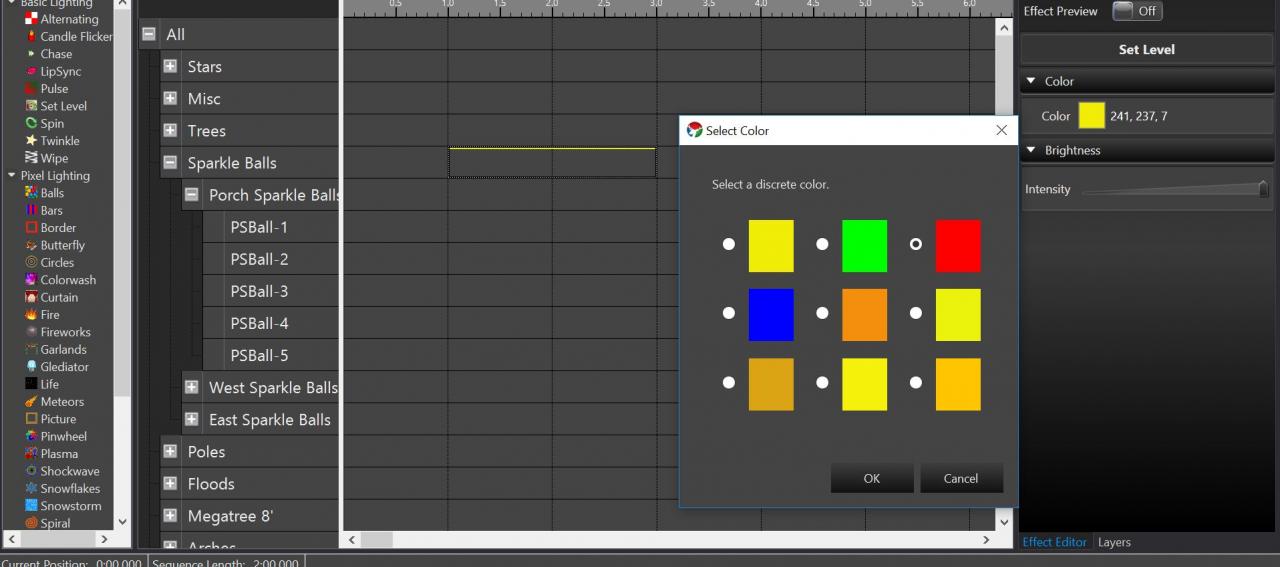
First shows the Set Level. In the Effect Preview window on the right, if you double click on the color field it brings up the color picker. In the color picker you can only select one color. Maybe this has to do with the way you setup up the element color handling like Jeff was saying.
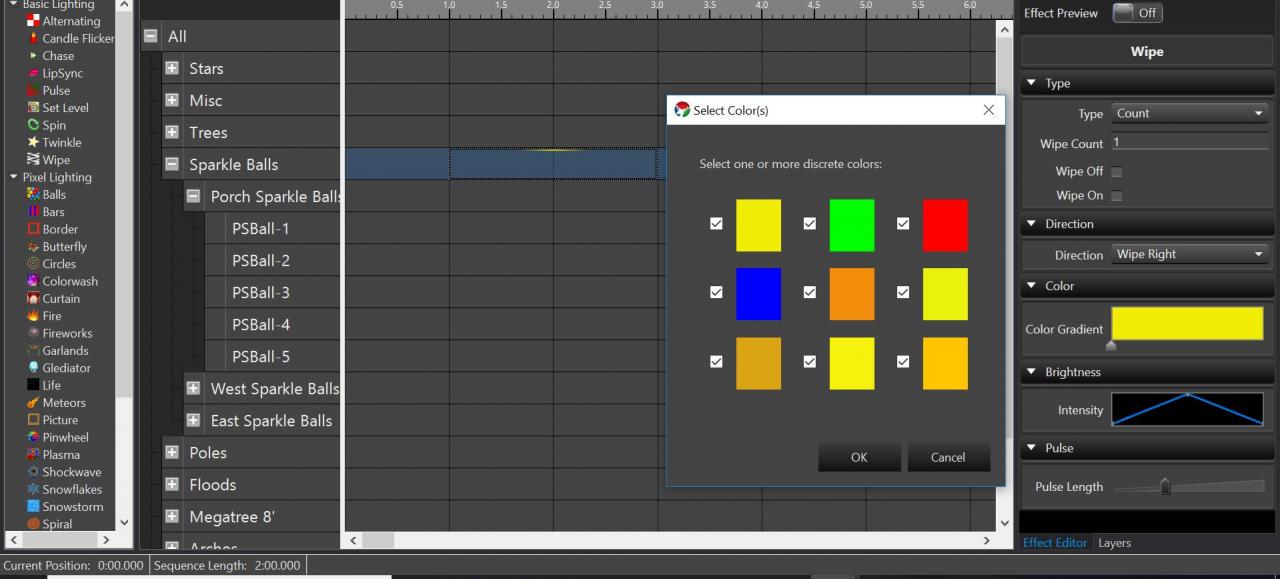
Second shows the Wipe, In the Effect Preview window on the right, if you double click on the little triangle at the bottom left of the color field, it brings up the color picker. In this color picker you can select all of the colors.
Hope this helps.
kev wrote:
First shows the Set Level. In the Effect Preview window on the right, if you double click on the color field it brings up the color picker. In the color picker you can only select one color. Maybe this has to do with the way you setup up the element color handling like Jeff was saying.
Because of how it works, the set level only supports one color. Most other effects support multiple colors. It's no big deal since a pulse can be used as set level with just one shift-click.
jchuchla wrote:No, he's not talking pixels. He's describing a scenario where you have multiple independent strings of lights occupying the same physical space. That is, there's 5 strings wrapped around your columns with all the colored bulbs intermixed.But your last post makes it sound like your strings aren't occupying the same space, but rather each string is a section of the column. Is that correct?
So here are the columns... Red on bottom, blue, purple, green and white.
My thoughts were a column group where I have right,left and tree and I can make them all do the same thing if I put like a wipe up on it. Or wipe down. It's not doing it.


Sent from my Pixel 2 using Tapatalk
So I have a feeling its the way I set up the elemnts now... I did use color handling in the setup... Is this wrong? Cause when i didnt the color on the preview was not working.

Thoughts?