

We are wanting to add a spiral-mega tree to our display this year. For anyone out there that has done this, how did you show your channels of the tree within the adjustable preview?
Can you perhaps show a picture of your spiral-mega tree that you have drawn within Vixen?
Thanks

Do not attempt to freehand the tree in Vixen. I use and illustration program to layout anything that is complicated. Then I bring the image into Vixen and its more like paint by number with pixels. I left my coloring guide in place, but I know others replace it back to the original photo when they are done placing the channel pixels.
txag2008 wrote:We are wanting to add a spiral-mega tree to our display this year. For anyone out there that has done this, how did you show your channels of the tree within the adjustable preview?Can you perhaps show a picture of your spiral-mega tree that you have drawn within Vixen?
Thanks

I just drew mine in as best as I could. All I wanted was a representation of it anyway. It turned out pretty good when animated.
Do not attempt to freehand the tree in Vixen. I use and illustration program to layout anything that is complicated
Can you expand on that? What type of illustration program are you using?
Attached are the two images I used to layout my display.
First is the original image that I shot after my Megatree framework was installed. I also dimmed the images in a photo editor because I was too dumb to realize that feature was built into the preview 🙂
To guidelines were added to the image using Adobe Fireworks. While not technically an "illustration" program It allows you to draw everything as individual elements which lets you copy, paste and also delete individual elements. I probably should have used it to layout my Midi and Mini trees, but I didn't think of it. It was certainly crucial in letting me layout my 16 Megatree strands.
Once I had my channel pixels layed out in Vixen Preview, I swithed teh image back to the original without the guidelines.
I played around with Google Sketchup last year, but I'm just not efficient enough with it. It would create a nice 3D looks. This year, I'm planning on a new layout which includes adding Spirals to my megatree. Although not what I'll use, I played around with laying out Spirals on my megatree. I'll attach that file when I can find it.


I did pretty much the same thing as kychristmas. I took a photo of the front of my home and then brought the photo into Adobe Illustrator and pretty much traced where I wanted C7 strands, mini lights, display items, etc. I then exported the drawing out of Illustrator as a jpg and then again just traced the lines with pixels from the Adjustable Preview.
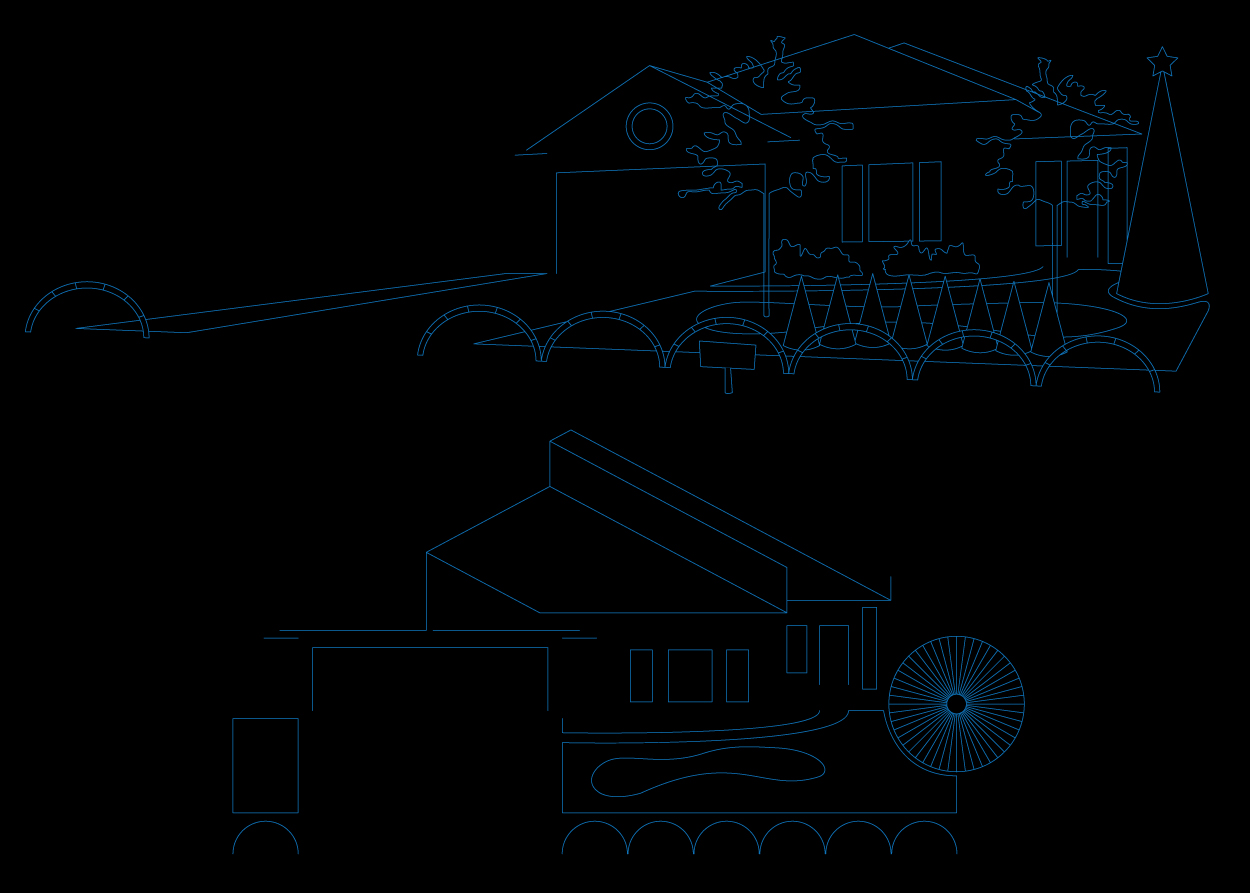


air_run wrote:I did pretty much the same thing as kychristmas. I took a photo of the front of my home and then brought the photo into Adobe Illustrator and pretty much traced where I wanted C7 strands, mini lights, display items, etc. I then exported the drawing out of Illustrator as a jpg and then again just traced the lines with pixels from the Adjustable Preview.
air_run, I am going to send you a picture of my house and what I need for display elements. JK:p
All I have to say is awesome!

I drew mine in MSPaint and then imported; same basic idea.
I, however, drew mine from the top down rather than side on view and stuck it off to the side.
bcstuff wrote:air_run, I am going to send you a picture of my house and what I need for display elements. JK:pAll I have to say is awesome!
Thanks! I appreciate it. I would have no problem helping you or anyone out with their previews if needed. Anywhere from drawing the basic lines, helping with a particular element, etc. I wish I had another house to do as I really enjoyed the process of creating the layout.

Here's mine, I had a background image similar to the above, but created in 3D software. I then traced the channels over, and deleted the image because it was too much luggage to carry. it took for ever for F8 to stop!