

I just got my MiniRDS Encoder the other day and built the interfaces according to the documentation in the RDS thread and the web site of the vendor. I used the bidirectional com port cable configuration. When testing it using the vendors software, I keep getting a communication error from the software. I triple checked the cable and made sure the MiniRDS has power (using 12V from the same source that feeds the FM Transmitter). I checked the com settings several times and still get the comm error. I used several com ports (I have a 8 port Moxa serial card). I even read the data sheet for the chip and added the LED status light which blinks about every second per the spec sheet. However, I do not see the LED on solid during data transfer which leads me to suspect my com setup. I don't have a scope so I can't check to see if the pins from the com port are changing (I just have a DVM). Can anyone give me any tips on where to check next. One other thing puzzles me also and perhaps someone can enlighten me. All the the pins that are connected to the com port are control pins (DTR,RTS,CTS). It's not using RXD or TXD. How does it communicate (obviously it does since other people have had success when the came configuration.
Thanks for the help.

Xmas - did you replace R9 with a 2k resistor? That is the only thing I could think of.
Flash
Flash69 wrote:Xmas - did you replace R9 with a 2k resistor? That is the only thing I could think of.Flash
I did replace the resistor. I just noticed that in my haste to get this going, I downloaded the wrong software. I loaded the software for the PIRA 32 encoder not the MiniRDS. I loaded the correct software but I now have new challenges. Every time data is sent to the MiniRDS, I can hear interference in the broadcast. I lowered the level on the MiniRDS board but it doesn't seem to matter. Also, I can only see the program type. Any pointers on how to set up the software properly would be appreciated.
Thanks.

Thanks for the file. I loaded it and still having the same issue. I think my Zune (that's what I'm using to read RDS) may be part of my issue. More testing ahead.

Not all RDS capable radios are the same. Some only read program info and some take full advantage of it. In our `02 Ford Escape, it only reads "JFC" and in the '08 Ford Edge it reads all of the info.

XmasInGalt wrote:Thanks for the file. I loaded it and still having the same issue. I think my Zune (that's what I'm using to read RDS) may be part of my issue. More testing ahead.
I thought jensen1080 had it working on his Zune.
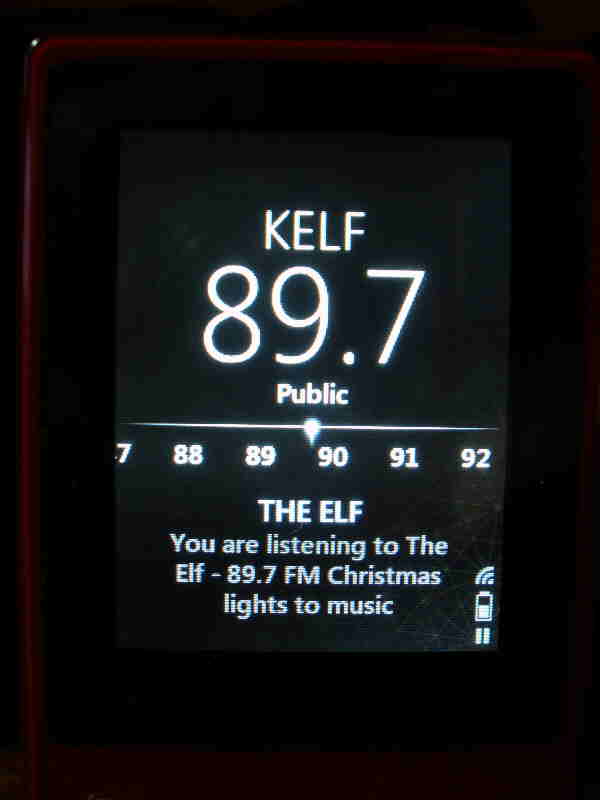
Success !!!! Thanks Wayne & Don for the coop and all for your assistance troubleshooting my latest addition to my blinky flashy 2008 display.
Has anyone figured out how to have the software update per song? From the little I read, you have to make a text file for it to read, but that is about as far as I got.

Wayne J wrote:Has anyone figured out how to have the software update per song? From the little I read, you have to make a text file for it to read, but that is about as far as I got.
Wayne,
In Windows Explorer, try right clicking on the song, select properties.
Goto summary and if the summary is not there, click on advanced. If you make any changes, be sure and hit "apply".
You should be able to change the text preceding the MP3 here. It works for Win Amp. I haven't hooked up my RDS yet.
Keith