

Yes I'm going to get the rasbarry pi 3
Sent from my SM-N910T using Tapatalk
Would I be able to do what I said
Sent from my SM-N910T using Tapatalk

Using the outputs from the other controller to drive the power on the PI is not going to work. The outputs from that controller are PWM outputs designed to drive strings of dumb RGB nodes (I hate to even call them pixels). You can share the power supply you would use to drive that controller with the PI but that would be about it.
So I could just to see if my lights come on
Sent from my SM-N910T using Tapatalk

Simply put. With the Falcon PiCap which you already have purchased. Here is what you need.
1 - Raspberry Pi 3 B
2 - An mirco SD card for the Raspberry PI
3 - USB Thumb Drive
4 - Power supply for Pixels
5 - Falcon Pi Player
6 - Install instructions
7 - Youtube video on setup of Falcon PiCap
These are just examples of the parts you will need. Everyone has their preferred brands and products. Disclaimer I take no responsibility if you purchase any of the above products and nothing works.

This is my setup: 12Volt wallwart, F4.
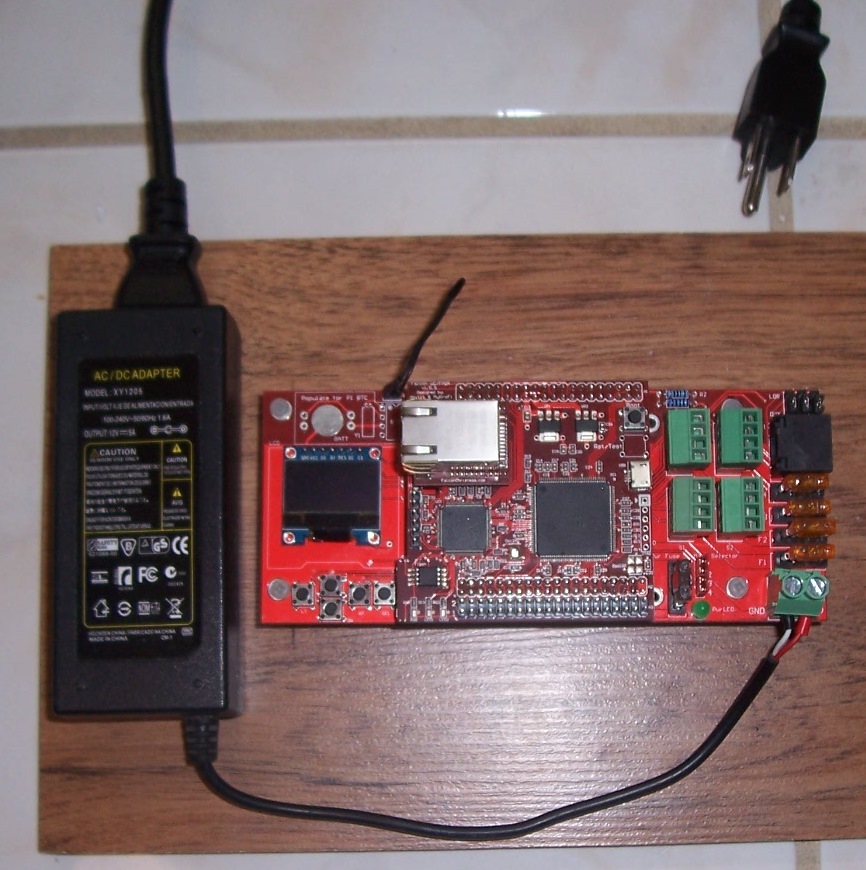
Add ws2811 to a green connector (12V+, data and 12V-)
you could what? Connect your WS2811 based lights to the dumb RGB controller? No you could destroy the data line. Trying to power the PI may cause the PI to behave in odd ways. When you are starting out, you do not need the headaches from trying odd things. Connect a 12v Power supply to the PI CAP and a set of WS2811 pixels to the PI CAP and put the PWM controller in a drawer until you purchase some lights it can power.

Lamar bolen wrote:I got my falcon f2 today that's all I have so far but I have a rf controller can I power the f2 with that and see if my 2811 lights work.this is the rf controller
Sent from my SM-N910T using Tapatalk
As Martin stated, you can use the Pi Cap to drive the Pixels. The controller you show in the picture is for dumb nodes/strips and will not drive your pixels. The set up on the PiCap is very easy with a Pi3 and will allow you to test your pixels all day long. There are some examples on Dave Pitts website and it is very explanatory. Once you are set up, you will also be able to drive your pixels wireless.
Why does mine look different
Sent from my SM-N910T using Tapatalk

Why does your what look different? Your PiCap? It is designed to connect to a Raspberry Pi and give you 2 outputs to run your Pixels, the F4/F16 are independent controllers, they don't need any other hardware to run your Pixels.