

You're problem is you tried to paste the model into a file where you had zero models so the structure wasn't setup for you to easily paste. If you start from scratch and at least add one model from within the program it will make it much easier. Otherwise you really need to understand the XML format. You tried to paste the models after the "" tag but the fact that it contains the "/" means that its a combined start and end tag all in one tag. You need to split it up and have all the models in between a "" tag and the closing "" tag.

Gilrock wrote:You're problem is you tried to paste the model into a file where you had zero models so the structure wasn't setup for you to easily paste. If you start from scratch and at least add one model from within the program it will make it much easier. Otherwise you really need to understand the XML format. You tried to paste the models after the "" tag but the fact that it contains the "/" means that its a combined start and end tag all in one tag. You need to split it up and have all the models in between a "" tag and the closing "" tag.
Thank you and that makes alot of sense i havent done any of this before so its quite the learning curve
Sent from my LGLS990 using Tapatalk

I think there is a formatting issue in your xml. Make sure it looks like this:
You currently have:
ThreeSizes wrote:I think there is a formatting issue in your xml. Make sure it looks like this:You currently have:
Thank you as soon as i get home i am gonna add the models too so i can hopefully expedite it
Sent from my LGLS990 using Tapatalk

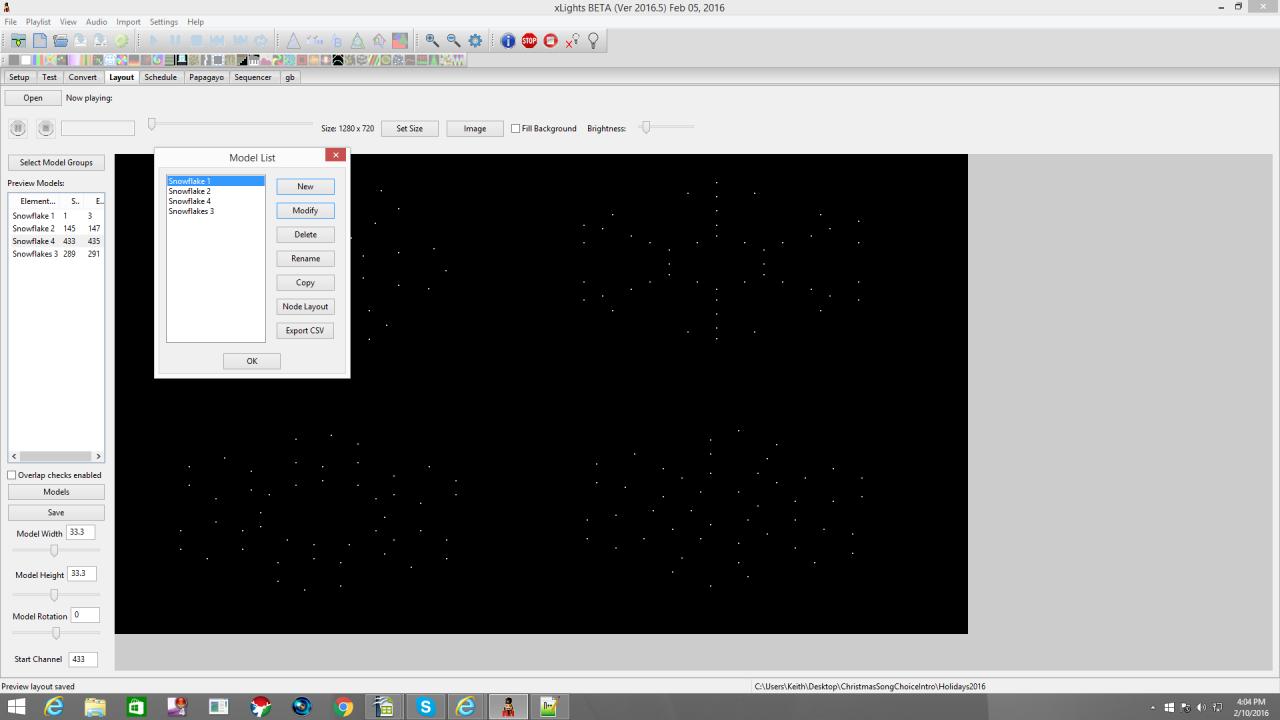
Sir, as you see I added the models in the XML and for some reason in nutcracker they still show up as only using 3 channels...any advice.
R/
Keith
Click that "Modify" button and then screenshot the actual Model Settings Dialog.
The question is what numbers do you see typed into the custom grid. It's possible you copied the model from a person that was using dumb rgb nodes in which case they may have just typed in a "1" in every box.

Attached sir.
R/
That looks just a display bug in the Model list as far as the End channels it's displaying. You can see in the settings dialog that model is using 144 channels. You're previous screenshot shows Flake 1 only going from 1 to 3 but notice how Flake 2 starts on 145? That's because Flake 1 is really 144 in length. So functionally you should be good to go. We just need to fix that display issue.
Gilrock wrote:That looks just a display bug in the Model list as far as the End channels it's displaying. You can see in the settings dialog that model is using 144 channels. You're previous screenshot shows Flake 1 only going from 1 to 3 but notice how Flake 2 starts on 145? That's because Flake 1 is really 144 in length. So functionally you should be good to go. We just need to fix that display issue.
Awesome thank you the only reason i asked is when i fire up the flake node one lights up red green blue and nothing else does but if i run it in master mode on my controller it lights all up
Sent from my LGLS990 using Tapatalk