

Hello All
Thank you in advance.
Info
94x46 matrix with 1200 pixels wired vertical starting top left
controller is Alphapix 4
output 1 - connected to 600 pixels .. 1-600
output 2 - connected to 600 pixels .. 601-1200
Power injected at every string/50
Issue is output 1 and output 2 are both displaying the same. Instead one big image.
screenshot attached

Are your start address correct?
K-State Fan wrote:Are your start address correct?
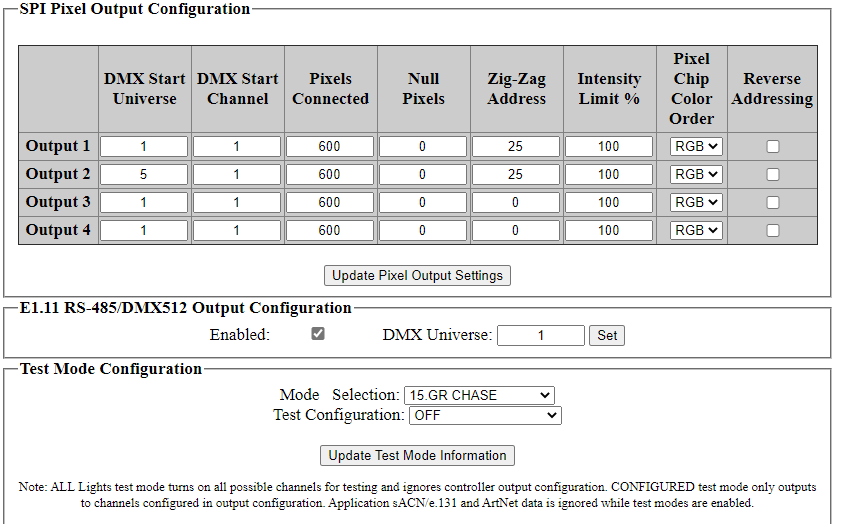
Added a picture of xlight setup
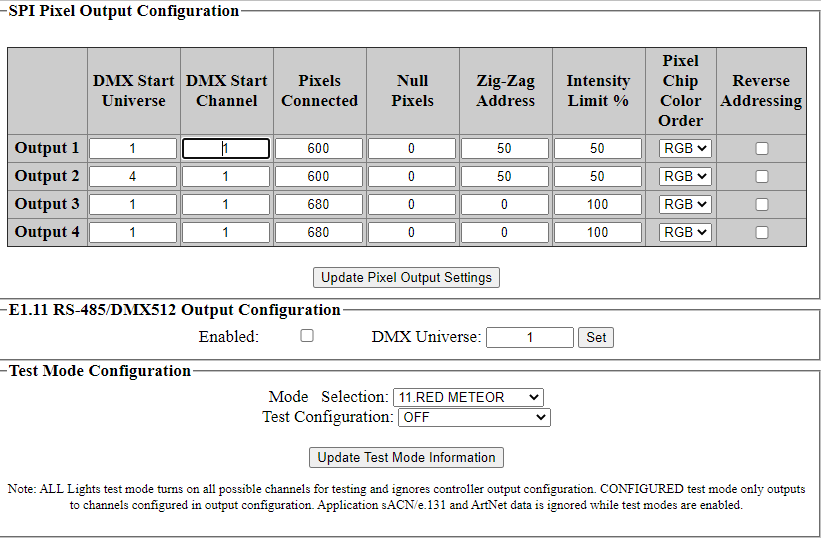
it says start universe - 1

Just checked and all my outputs are putting out the same display
Output 2 says it starts on universe 4 channel 1. Is that what you have setup in xLights? 600 pixels on output one is going to take mare than 3 universes.

Here's the node layout.
I couldnt find much info when running the lights vertical. I thought i had to use zig-zag since i ran them vertical and then there 24 in each column.
Me being eager i ran the lights before researching. really hate to re run them but i will if needed.
thank you again for the help its much appreciated .
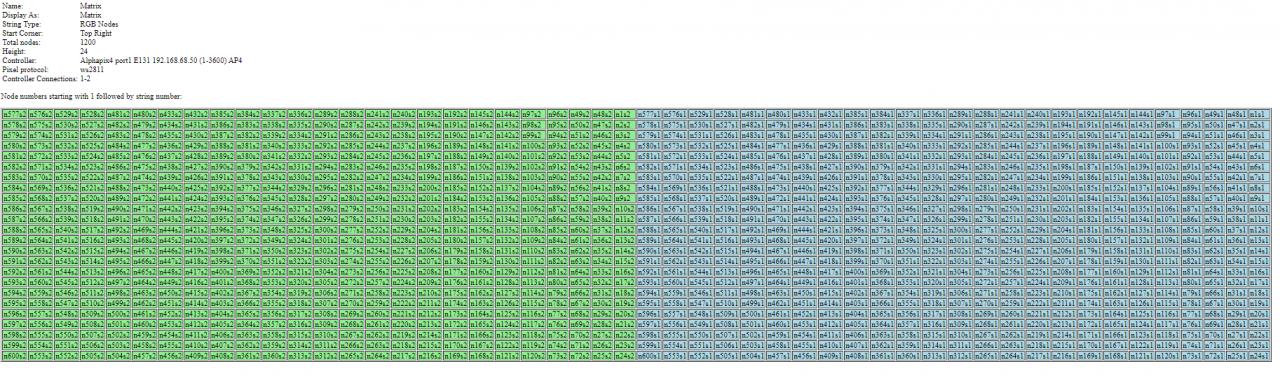
You only set them up to zig zag one place and from your node layout it looks like you have it set in xLights. I would remove it from the controller settings. Can you show your model set up in xLights?
It looks like you have it set like this
Direction: Vertical
# Strings: 2
Nodes/String: 600
Strands/String: 25
Start Location: Upper Right